

Launch day is here for your team’s biggest marketing campaign. Stakeholders are waiting for everything to go live, when someone asks for a last-minute change to an asset. You start searching for the latest version, through shared drives, email threads, and old folders…
When assets are hard to find and you can’t trust you’ve got the right versions, teams lose time and risk using the incorrect files. Now compare that experience to how easily you browse through content on Netflix. You don’t search by file name — you browse by category, filter by preferences, and quickly land on the right option. You’re still looking through a massive amount of content, but the structure and filtering options makes discovery effortless.
The same principle applies to digital asset management. A DAM’s value isn’t just in storing assets — it’s in how those assets are organized to make them searchable and easy to navigate. Getting that structure right starts with taxonomy.
What is a DAM taxonomy?
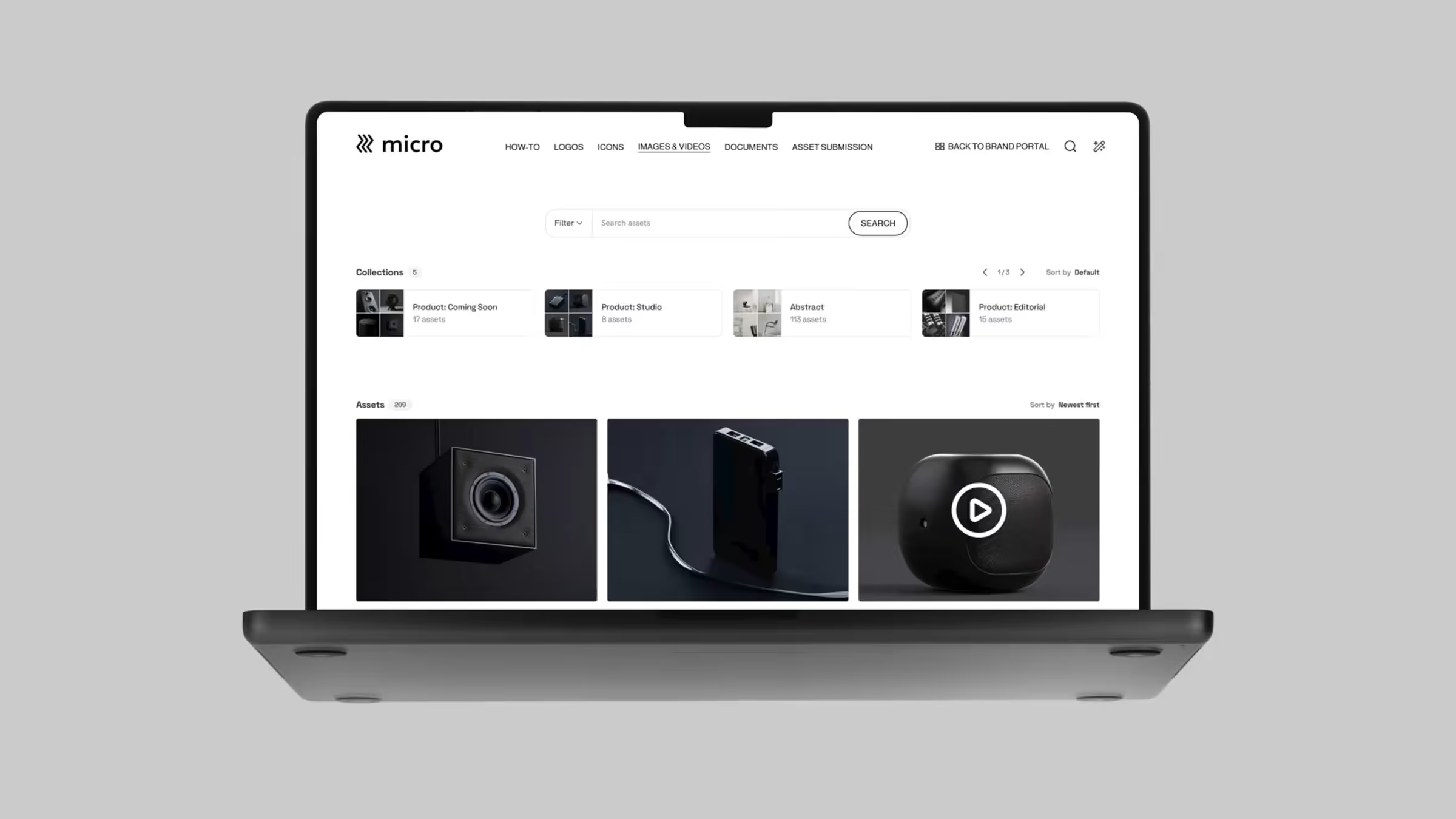
In a digital asset management (DAM) platform, taxonomy provides the framework that determines where assets “live” and different ways users find them.
A DAM taxonomy is the structured system used to classify and organize digital assets across categories and attributes so users can browse, filter, and find assets consistently — not just search by file name. It defines how content is grouped, labeled, and connected across your DAM platform. It creates a predictable and navigable structure so teams across marketing, brand, product, and regional offices can find what they need.
Common taxonomy models include:
- Hierarchical (nested) taxonomy: Assets are organized into parent categories with subcategories (similar to folders, but more flexible and scalable). For example: EMEA → Campaign → 2026 Product Launch → Social → Paid.
- Flat taxonomy: Assets are tagged with multiple metadata values instead of being placed into a single hierarchy, allowing them to exist in multiple “places” simultaneously without duplication. For example: one asset tagged as EMEA, Product Launch, and Paid Social.
Taxonomy forms the structural foundation of a DAM. Search, filtering, and governance all rely on that initial foundation.
Taxonomy vs. metadata vs. tags: What's the difference?
Taxonomy, metadata, and tags are closely related concepts in a DAM platform, but they serve different roles.
- Taxonomy: The organizing framework that defines approved categories and relationships for browsing and filtering assets. It establishes the structure of your DAM and determines how assets are grouped logically.
- Metadata: The data attached to individual assets to describe them (such as file type, creation date, usage rights, campaign, region, product line). Metadata is structured, standardized and often restricted to predefined fields to ensure consistency.
- Tags: Keywords used to describe assets more informally. They can improve discoverability and add creative context, but without clear rules, they can quickly become inconsistent.
Essentially, taxonomy sets the structure of your DAM, metadata provides reliable filters, and tags add flexible descriptors for edge cases and extra detail. When aligned properly, these three elements turn a DAM from static file storage into a dynamic system for content discovery and brand control.
How AI is transforming DAM taxonomy
Modern DAM platforms like Frontify use AI to reduce the manual burden of taxonomy management. It helps companies maintain a consistent taxonomy with less human work and oversight with AI-powered features such as:
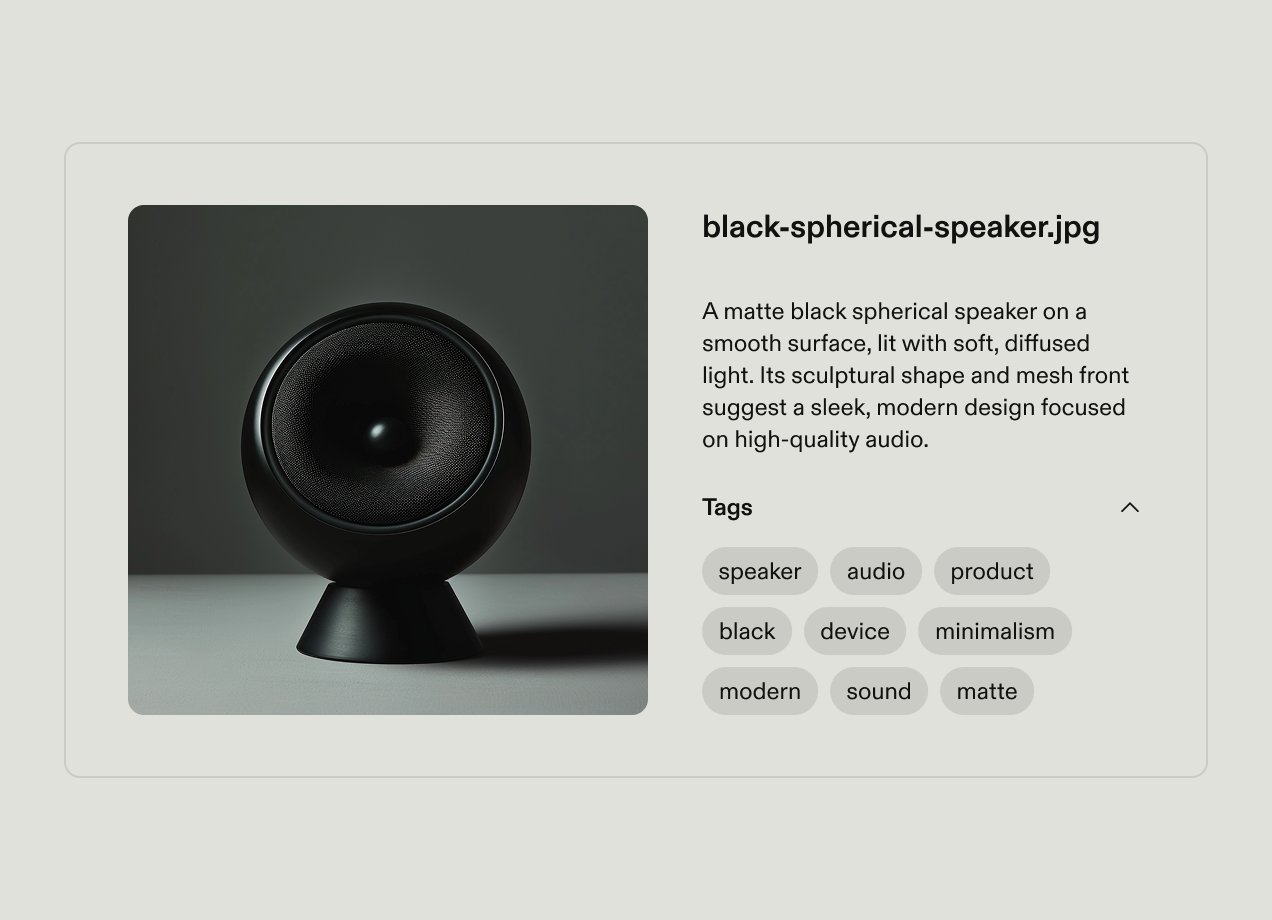
- Auto-tagging: AI analyzes assets and automatically suggests tags based on visual content, text, and context
- Predictive metadata: When you upload a new file to your DAM, AI pre-fills certain metadata fields based on your taxonomy structure and similar assets
- Smart search: AI improves searchability by understanding user intent and natural language queries, not just returning results that match keywords.
Artificial intelligence is increasingly common within DAM platforms, but it works best when combined with a strong taxonomy foundation. While AI learns from and enhances your taxonomy, it can’t build a sophisticated structure from scratch or replace your taxonomy altogether.
Why is DAM taxonomy important?
If you get your DAM taxonomy right, it can deliver tangible benefits for your organization, immediately and long-term as the business grows.
Faster asset discovery
A well-designed taxonomy drastically speeds up how quickly users can find the assets they need. Frontify’s DAM has helped the Caribou Coffee team save more than five hours each week that was previously spent searching for assets.
Instead of scrolling through long lists or guessing file names, users navigate the DAM using predefined categories and filters that reflect how they actually think about their files.
Higher DAM adoption
A clear, intuitive taxonomy directly drives DAM adoption by making assets easy to find. When users can quickly access the right files, they are more likely to start and continue using the platform — they trust it so are willing to integrate it into their workflows.
Clear categories, intuitive hierarchy, and consistent metadata builds confidence in the system. Whereas a poorly structured DAM with inconsistent labelling or confusing organization frustrates users, leading them to abandon your DAM platform and revert to using shared drives, email threads, or recreating assets from scratch.
Consistent brand governance
A well-structured DAM ensures assets are categorized consistently and logically, making them easy to locate. Users can find approved assets quickly and easily so they’re more likely to use the correct versions, reducing the use of off-brand or outdated content.
Clear categories, standardized metadata, and intuitive organization help to enforce brand standards and support compliance, so companies can maintain a cohesive brand experience across campaigns, regions, and channels.
Scalability for growing organizations
Your DAM taxonomy can be thought out so that it’s scalable without needing a complete restructure. The structure can be designed to accommodate new teams, brands, regions, and asset types by using flexible hierarchies and standardized metadata.
For multi-brand or global businesses, a scalable DAM taxonomy ensures that each brand or region can maintain its own identity and structure, while still aligning with the broader system. This makes it easy to add and organize assets within the DAM for easy navigation and findability.
How to build a DAM taxonomy: Step-by-step
These practical steps will help you structure your DAM and create a taxonomy that works for your business.
1. Understand user needs
An effective DAM taxonomy should reflect how people actually think, search, browse, and reuse content in their daily work — not how you think they will.
Start by figuring out how users find files in your existing systems:
- Review search logs from your existing DAM or shared drive. What keywords do people use? Are they searching by campaign name, product line, region, format, or channel? What search terms return no results?
- Identify common filters people use to narrow down search results, such as region, language, asset type, or audience.
- Observe browsing behavior to understand how team members actually look for assets.
- Look for workarounds. Check your existing systems for indications that people aren’t using your current system because they can’t find what they need. Look out for duplicate folders, duplicate files, inconsistently-named files, and assets stored on local drives.
Then, conduct structured interviews to see how different user groups navigate your assets and files, and what they need from your DAM. Ask specific questions such as:
- When you need a specific asset, what’s the first thing you look for?
- What information must be visible before you feel confident using a file?
- What makes you abandon a search?
- What filters would save you the most time?
Document patterns within teams. For example:
- Marketing teams may think in terms of campaigns, channels, and audiences.
- Sales teams may search by industry, persona, or stage of the funnel.
- Creative teams may focus on format, asset type, or production date.
- Regional or global teams may prioritize language, market, or regulatory requirements.
But also look for common themes across teams — if multiple departments consistently search by campaign and region, those should be core structural elements in your taxonomy. The goal is to mirror how teams browse for content, not just how they search. That way, navigation feels intuitive from day one — reducing friction and accelerating adoption.
2. Audit your existing assets
A thorough asset audit uncovers patterns, gaps, and pain points, and helps you avoid migrating clutter or outdated files into your new system.
Start by taking inventory of your resources:
- List all asset types: images, videos, audio files, logos, presentations, templates, PDFs, social media content, product images, and documents
- Record current locations: files will be scattered across shared drives, cloud storage, email attachments, chat threads, or legacy DAMs
- Map out your current organization structures: note down folder structures, naming conventions, metadata, and tags that are already in use
- Identify duplicates and outdated content so you can remove them before transferring to your new DAM.
With that information, plus the interviews you conducted with different teams, you can identify what’s currently working in your current system. Keep a record of the structures or categories teams consistently use and find intuitive, as well as things that feel confusing or annoying. For example:
- List the structures, labels, or tags that users rely on and actually find helpful
- Capture patterns in file naming conventions that make sense to users
- Note any areas that consistently cause confusion or make files hard to locate
- Record recurring complaints, such as files being poorly named or stored in the “wrong” location.
This audit gives you the insights needed to design a taxonomy that improves findability and aligns with how your teams actually work.
3. Define your categories and hierarchy
A well thought out structure ensures your DAM taxonomy is both practical and future-proof, so next you need to define the high-level categories and hierarchy you’ll use to structure your DAM.
Map out high-level categories you’ll use to organize assets, based on how you’ve discovered people browse for assets. Avoid relying on departments as categories — while it may seem logical, it fails to reflect how content is reused across teams and campaigns. Instead, focus on categories that reflect multiple users and use cases, such as:
- Asset type
- Product line or service
- Brand
- Region or market
- Campaign or initiative.
Then, decide on the hierarchy depth you’ll have within your DAM. Flat hierarchies make it hard to filter assets effectively, meaning users may have to scroll through hundreds of assets within a single category. Very deep hierarchies allow you to organize assets very precisely, but can become complex and overly confusing for users. Aim for a balance — folder hierarchies with 2-4 layers of nesting work well for most companies.
4. Establish metadata standards
While categories support browsing, metadata enables precise filtering, automation, and governance. Defining clear metadata standards ensures assets are consistently labeled and easy to retrieve across teams and regions.
Start by documenting the metadata fields that will apply to all assets, such as:
- Asset type
- Creation or upload date
- Asset owner or team
- Version status (draft, approved, archived)
- Usage rights or expiration date
Then, define the fields that will only apply to certain asset types. These could include:
- Campaign name for marketing assets
- Product line or SKU for product content
- Region or language for localized assets
- Channel (social, web, email, paid media)
- Talent or licensing details for images and video
Try to standardize metadata where possible, by creating a controlled vocabulary for your metadata. For example, replace free-text fields with dropdown selections, and align naming conventions across teams. This reduces inconsistencies and near-duplicate labels, and improves filter accuracy.
5. Document and communicate your taxonomy
Clear documentation and proactive communication will help your team understand how to apply and navigate your DAM taxonomy so they can categorize, tag, and retrieve assets consistently.
Create a short reference guide. Don’t go super in-depth — focus on the essential information including your top-level categories, hierarchy logic, key metadata fields, and tagging rules, along with short explanations of how and when to use them. Make it easy to understand by adding diagrams or visual maps to explain the structure, and give examples of how real assets should be classified within your DAM.
Share the guide with key stakeholders across the business to get buy-in before you implement it fully. Check if there are any areas they don’t understand, or if they suggest any changes. Try to address peoples’ concerns early, especially if teams will be required to change long-standing naming or structuring habits. Additionally, plan training and onboarding to introduce the new taxonomy to your teams.
DAM taxonomy best practices
These practical tips will help you create a taxonomy that actually gets adopted business-wide, rather than one that simply looks organized but doesn’t work for your teams.
Design for how users search, not how you want to store
When designing your taxonomy, focus on how your teams will use it rather than how your admins think it makes sense to organize assets.
Start with user research. Find out how different teams describe assets, the terms they use, and how they navigate when browsing for files. Then, create multiple navigation paths to the same asset, to ensure different users can find the same file even if they search in different ways — for example searching by campaign name, product line, or asset type.
Balance structure with flexibility
The best taxonomies should balance rigid structure with flexibility for creative freedom. Too rigid and your taxonomy can’t adapt with your organization, too loose and it creates inconsistencies and findability problems.
Provide structure within your DAM where consistency matters most. For example, use controlled vocabularies for critical metadata fields, but allow teams to add open-ended descriptive tags where teams need room to describe assets in their own words.
Separate your front-end and back-end experiences
Traditional DAMs give all users the same experience, whether they’re an admin uploading assets or a sales rep downloading a slideshow template. But asset management and asset discovery and usage are very different tasks, and your DAM platform should reflect that.
Make sure your DAM can provide different experiences for different user types. For example, admins need full, detailed controls while casual users like sales reps or HR teams need a simple, intuitive interface.
Use AI to reduce the taxonomy burden, not replace it
Lots of DAMs offer AI functionality like auto-tagging and predictive metadata, which can reduce the amount of manual work required to maintain your DAM taxonomy. But AI works best when it’s trained on your specific taxonomy and used to support it, rather than automate it completely. AI should help to maintain your taxonomy, but it doesn’t replace thoughtful design and strategic implementation.
Use AI to handle high-volume, repetitive tasks like tagging images. Keep human oversight for strategic fields like usage rights, campaign attribution, and brand approvals.
Plan for scale from day one
Design your DAM taxonomy with growth in mind. You want to be confident that a structure that works for 1,000 assets and one team will also work when you have 100,000 assets and ten teams.
When setting up your DAM taxonomy, consider how it will grow with your business: how you’ll add new brands, regions, departments, or asset types. Avoid creating a deep, nested hierarchy. These appear organized but force users to click through multiple layers of navigation to find a single asset. They’re also complicated to recreate for new regions or sub-brands.
Establish clear governance and ownership
Without clear governance, taxonomies drift as teams use inconsistent naming conventions or add new categories. Establish a committee with representatives from your core user groups (such as marketing, creative, sales, and regional teams). This group owns your DAM taxonomy and is responsible for adding new categories, approving changes, and reviewing or refining the structure. They should review your taxonomy once a quarter, and make incremental improvements to the structure of your DAM system based on search data, user behavior, and user feedback.
Common DAM taxonomy mistakes to avoid
We’ve shared the best practices and key steps to build a DAM taxonomy, but it’s also important to know what not to do. Here’s a short list of common pitfalls to avoid making when structuring your DAM:
❌Replicating your folder structure
✔️You don’t want to digitize your old filing system. Look for ways to improve it so it works better for your team
❌Designing for how admins want to store assets, not how users search
✔️Conduct user research to understand how different teams browse for assets, and use that to inform your DAM structure
❌Over-complicating the hierarchy with multiple levels of nested files
✔️ Limit hierarchy depth to 2-4 levels and design different ways for users to find individual files, such as using filters or tags
❌Handing over the reins to AI
✔️AI in your DAM should support your team and make your taxonomy scalable, but don’t rely on it to build the system from scratch
❌Treating DAM taxonomy as a one-time task and ignoring ongoing governance and ownership
✔️Set up a cross-department committee to perform quarterly reviews to avoid inconsistencies. Give them ownership of adding new categories, approving changes, and reviewing or refining the structure
❌Not testing the DAM taxonomy without testing with real users
✔️Test your taxonomy with a small, cross-functional group of users before the full rollout. Monitor users’ search behavior and collect feedback to check whether people are finding what they need and how intuitive the browsing and search processes feel
❌Only considering what their company needs today and ignoring or underestimating how their taxonomy will need to change as the organization scales
✔️Design your taxonomy structure with growth in mind. Consider what you’ll need if you add regional departments, new sub-brands, or new product lines, and what will be the easiest way to add those in without needing to rebuild your DAM from scratch.
Choose a DAM that supports your taxonomy needs
When you’re comparing DAM software, it’s easy to only focus on the long list of features vendors mention on their websites. But don’t forget to make sure the platform supports your taxonomy needs too. Look for these essential capabilities:
- Flexible hierarchy and category structures
- Customizable metadata fields and controlled metadata vocabularies
- AI-powered tagging
- AI-powered asset search
- Different interfaces for front- and back-end users
- Customizable navigation and portals for different user groups
- Designed to scale for multi-brand and multi-region organizations.
The Frontify DAM is built with taxonomy flexibility and scalability in mind. We want to make it as easy as possible for all users — both internal teams and external collaborators — to find the correct files, as and when they need them. This helps drive adoption to make your DAM a long-term asset for your business. Book a demo to see how Frontify platform can support your DAM taxonomy.