
A field marketer opens their DAM, types "Q3 outdoor campaign hero image" into the search bar, and gets nothing back. The asset exists, but the designer left the filename as IMG_4782.jpg, skipped the metadata fields, and moved on. They provided no campaign name, no quarter, and no context. So the marketer opens an email thread and asks the creative team to dig it out. It's just one of 50 similar requests they've had this week.
Bad tagging means searches in your DAM return zero or irrelevant results. Over time, the problem compounds: every untagged asset makes the next search slightly less reliable, until the library stops feeling like a resource and people avoid it entirely, falling back on emails, shared drives, and Slack requests.
Automated metadata tagging addresses this at the source. Instead of relying on individuals to describe every asset they upload — consistently, completely, under deadline — AI analyses each file as it lands and builds that descriptive layer for you. It reads what's in the asset, surfaces the data already inside it, and applies the metadata your team actually searches for. The result is a library where every file is findable from the moment it's uploaded, and a DAM people use instead of route around.
What is metadata tagging in a DAM?
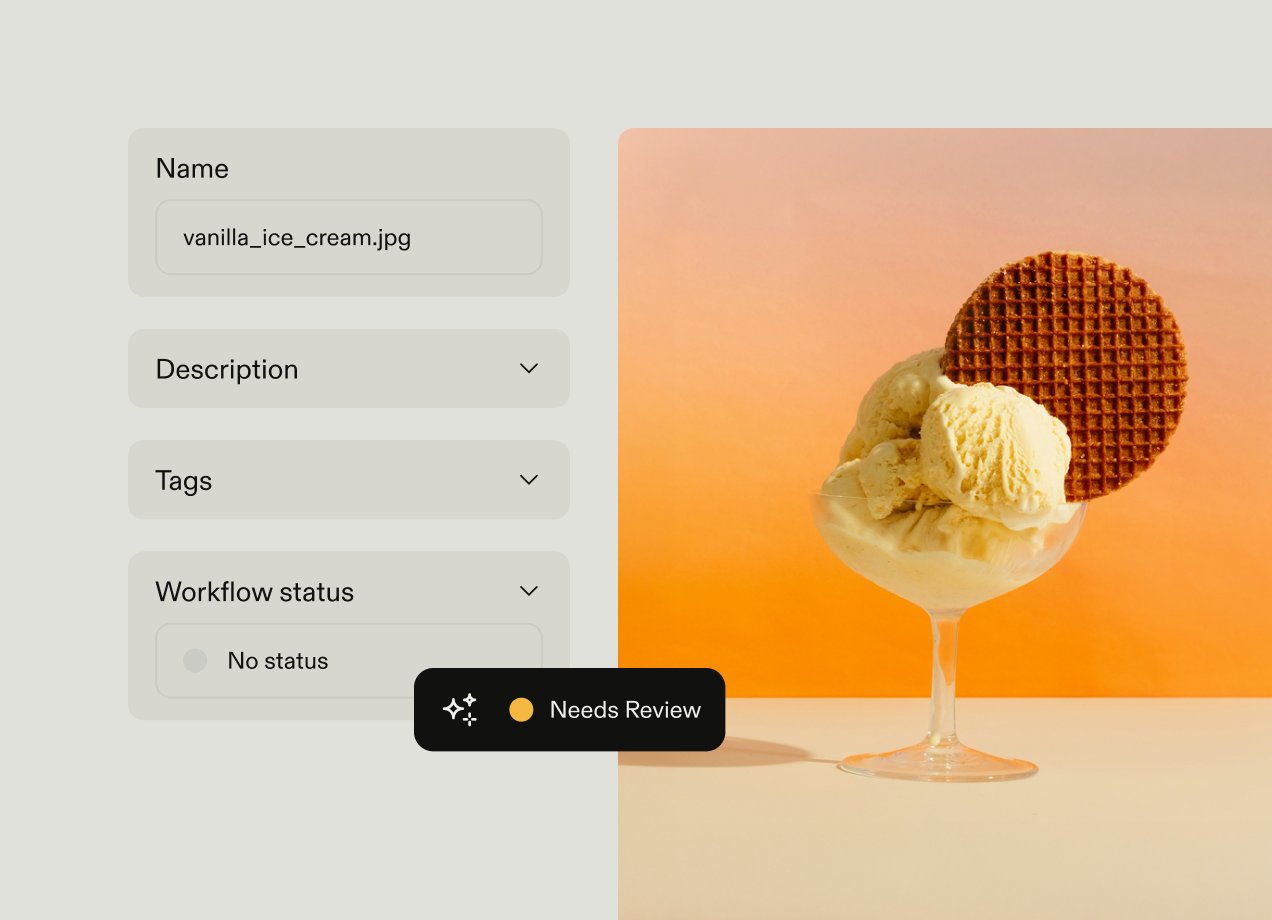
Metadata tagging is the process of attaching descriptive information to a digital asset, so it can be found and filtered within a DAM. A filename like IMG_4782.jpg tells you almost nothing about what's in the file; metadata tells you what an asset is, what it shows, and how it should be used.
Example metadata fields include:
- Subject matter
- Campaign name
- File type
- Rights information
- Region
In practice, metadata is what makes search work. When someone types "product shot, white background, Q3 campaign" into a DAM search bar, the results they get are only as good as the metadata attached to the assets in the library. If that information was never recorded, the right asset simply will not appear.
Manual tagging is how most teams start, and it works reasonably well on a small scale. Someone uploads an asset, fills in a few fields, and moves on. But at scale, consistency becomes a problem. Different people describe the same type of asset in different ways, fields get skipped when deadlines are tight, and over time the library accumulates gaps that undermine search reliability. At a few hundred assets, the gaps are manageable. At tens of thousands, they become the reason people stop using the DAM altogether.
How AI automates metadata tagging
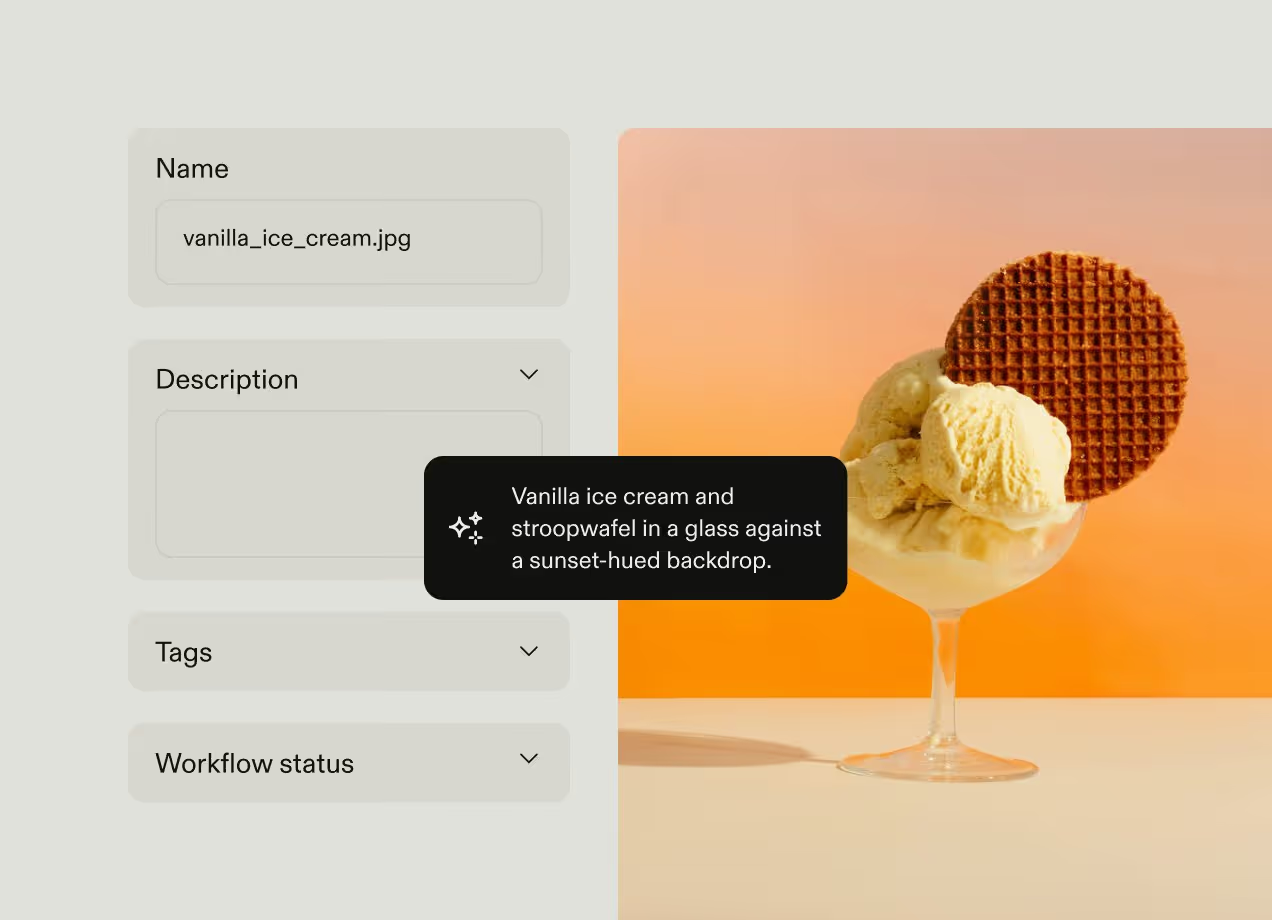
AI-automated metadata tagging analyses the content of an asset — recognising objects, colours, text, faces, and context — and applies relevant tags and metadata fields automatically. It replaces the manual process of describing assets.
Rather than depending on whoever is uploading a file to fill in the right fields in the right way, the DAM analyses each asset at the point of upload and generates descriptive metadata automatically. This provides consistent, scalable metadata that doesn't degrade when teams are busy.
The three ways AI enriches every asset
AI enriches every asset through three parallel methods, each handling a different layer of what makes a file findable:
- Image recognition analyses the visual content of an asset and assigns tags based on what it detects — objects, colours, scenes, and context.
- OCR text extraction scans for readable text embedded within files — inside PDFs, overlaid on images, or appearing in video frames — and adds that text to the searchable index.
- Embedded metadata surfacing reads descriptive and technical data already recorded inside a file's header — location, copyright holder, creation date — and makes it available to search. Photographers often populate these fields as part of their workflow, but without surfacing, that information stays locked inside the file where the DAM cannot reach it.
These three methods read what is inside an asset. They ensure every file entering the library is findable at a basic level, regardless of how it was named.
Predictive metadata: matching AI output to how your team searches
Some DAM systems go further and create predictive metadata. AI analyses your existing taxonomy and similar assets already in your library, then pre-fills organisation-specific fields such as campaign name, asset type, or intended channel. This bridges the gap between how AI tools describe a file and what your team actually types into the search bar.
Automation workflows: tagging from upload context
Content analysis answers one question — what is in this asset? Automation workflows answer a different one — what context was this asset uploaded into?
When an asset is added to a specific workspace, folder, project, or upload portal, that location is itself a strong metadata signal. An automation workflow applies metadata based on that context: everything uploaded to the "Q3 EMEA campaign" workspace is automatically tagged with the campaign name, quarter, and region, even when image recognition has no way to infer those facts from the pixels.
This is the most reliable enforcement mechanism available, because the metadata is applied by rule rather than inference. It's also what keeps vocabulary consistent at scale — assets inherit the same structured terms every time, instead of whatever the uploader happened to type. Used alongside content analysis and predictive metadata, automation workflows close the gap that recognition alone can't: the context an asset arrives with, captured automatically.
What AI-automated tagging changes for your DAM
AI-automated metadata tagging improves DAM performance in several ways, from how quickly individuals find what they need to how consistently distributed teams access approved assets. The following sections cover each benefit in more detail.

Improved search accuracy and asset discoverability
The most immediate benefit is that assets become findable from the moment they are uploaded, regardless of how they were named or whether anyone added tags manually. A library where every asset carries consistent, descriptive metadata returns relevant results on the first page of search, so the DAM becomes a tool people trust and use.
This matters most at scale. Brenntag, operating across 12,000+ users in 700 locations, relies on metadata to ensure employees can find approved assets that match their region, language, market, and compliance requirements. For example, if they're using images of workers in a chemical environment, the people in the image need to be wearing protective goggles.
High-quality automated metadata makes it more likely that the right assets appear on the first page of results. The metadata layer makes it possible to search for images of people wearing protective goggles with precision.
When search results are accurate, non-designers find what they need independently, and the brand team stops fielding a dozen "can you send me that file" requests throughout the day. When search doesn't work, people avoid the DAM and go back to emailing the creative team.
Faster retrieval and time savings
When search works reliably, the time spent hunting for assets drops significantly, and the cumulative impact across a large organisation is substantial. Caribou Coffee found that consolidating assets into a single, searchable brand hub saved teams up to five hours of search time per week. Multiplied across departments, regional offices, and seasonal campaign cycles, that's a significant amount of time recovered for work that actually moves projects forward.
Those savings also reduce the indirect costs of poor findability. When people cannot find an asset, they don't just waste time searching — they recreate it from scratch, adding another duplicate to a library that becomes harder to navigate as a result. Automated tagging breaks that cycle by ensuring assets are findable the first time, reducing both redundant work and the volume of duplicates that accumulate over time.
Greater DAM adoption
Accurate search results determine whether people use the DAM at all. When a search reliably returns what someone needs within the first few results, the portal becomes the default place to go for assets. When it does not, people route around it.
A well-tagged library encourages use, and greater use reinforces the case for maintaining metadata quality. Non-designers find what they need independently, creative teams spend less time fielding file requests, and the DAM earns a reputation as a reliable resource rather than a last resort. Automated tagging sustains that reputation as upload volumes grow and the library expands.
Brand consistency and compliance at scale
When search works reliably, distributed teams and non-designers can find approved, on-brand assets without involving the creative team or recreating something that looks "close enough". That keeps brand output consistent across regions, markets, and channels, particularly in large organisations where central oversight of every asset request is not realistic.
Automated tagging also supports brand compliance. Embedded metadata surfacing brings rights information, copyright holders, and licence terms into the searchable index automatically. Teams can filter by those attributes before downloading and using an asset, reducing the risk of using content outside its permitted scope without anyone needing to manually record or check that information.
Consistent metadata vocabulary across the organisation
Without automation, metadata vocabulary is set by whoever happens to be uploading on any given day. One person tags an asset as "lifestyle photography," another calls it "people shot," and a third uses "brand imagery." All three describe the same content, but a search for any one term will miss the other two. That inconsistency is rarely noticed until search quality has already dropped.
AI tagging, combined with predictive metadata and automation workflows, enforces a consistent vocabulary by anchoring every asset to the same taxonomy at the point of upload. New assets inherit the vocabulary patterns of similar assets already in the library — or, where automation rules apply, the structured terms tied to where they were uploaded — rather than the terminology of whoever happened to add the file. Over time, this creates a shared descriptive language across the organisation that reflects how your teams actually search.
Future-proofing for advanced retrieval
The metadata layer built through automated tagging forms the basis for more advanced retrieval methods as they emerge. Natural language interfaces, for example, let team members describe what they need in plain language and get matched results without knowing the exact tags or taxonomy fields to search for. But the accuracy of those results depends entirely on the metadata index underneath. If an asset was never tagged with a campaign name, quarter, or asset type, even the most sophisticated retrieval interface will return nothing.
The metadata your organisation invests in today is the foundation that future search capabilities will draw from — meaning the returns on that investment grow over time rather than becoming obsolete.
How Frontify's asset intelligence layer supports AI metadata tagging
When you upload an asset to the Frontify DAM, several processes run in parallel, each covering a different aspect of automated tagging and improving findability.
Each method addresses a different cause of poor findability:
- Image recognition uses AI to analyse assets and automatically suggest tags based on visual content, text, and context. Even if the image was uploaded with zero tags or identifying data, it becomes discoverable through search and filtering.
- OCR text extraction scans text embedded in files like PDFs or images, so a search for a word contained in those files surfaces them even if no one entered that information into a metadata field.
- Embedded metadata surfacing makes information that already exists within your files — location, creation data, copyright holder on photography — searchable within your DAM.
- Automation workflows apply your structured metadata by rule. Assets uploaded into a campaign or market workspace inherit the right campaign, region, and channel tags automatically, so the context never depends on the uploader remembering to add it.
Together, these methods make every asset findable at a basic level. They also form the data foundation that AI-powered retrieval depends on.
Brand Assistant is only as smart as your metadata
Frontify's Brand Assistant is an AI trained on your brand. Anyone in your organisation can ask questions in plain language — from how to apply your logo in a specific context to whether a campaign concept fits your tone of voice — and get instant answers.
Brand Assistant's upcoming DAM integration will let team members describe what they need in plain language ("the hero image from the Q3 outdoor campaign") and get relevant results, even if they don't know the exact tags or taxonomy fields to search for.
But the accuracy of those results depends entirely on the asset intelligence layer underneath. Brand Assistant's natural language interface can interpret search intent and match it to descriptive attributes, but only if those attributes exist in your system. If your Q3 campaign hero image was never tagged with a campaign name, quarter, or asset type, it will never show up in search for those terms.
That's what makes the metadata layer so valuable. Every piece of metadata added — by your team, by AI content analysis, or automatically by an automation workflow — improves keyword search today and future methods like natural language and visual similarity search tomorrow.
Keeping AI-generated tags accurate over time
AI handles a high volume of assets easily, but it requires ongoing human oversight to stay calibrated. Without it, the accuracy of AI-generated tags drifts as campaigns evolve, terminology changes, and new asset types enter the library.
MAN manages this challenge across 10,000+ assets serving teams in more than 100 countries, treating metadata governance as a continuous process by design rather than a one-time configuration task. Clear governance by a dedicated team keeps metadata standards consistent across the organisation and over time. That consistency determines whether non-designers throughout the organisation can rely on the search results they get.
Four practices keep AI-generated metadata aligned with your taxonomy over time:
- Regular audits. Review AI-generated tags against your controlled vocabulary monthly or quarterly, depending on upload volume. Catching systematic errors early stops them spreading across hundreds of assets and compounding into a larger search-quality problem.
- Metadata steward roles. Assign designated stewards to approve, correct, or reject AI suggestions for high-visibility asset categories. Product launch materials and brand campaign assets warrant human review even when the AI handles the first pass.
- Taxonomy validation tracking. Measure the percentage of auto-generated tags that match your controlled vocabulary over time. That figure is a leading indicator of search quality — if it starts to fall, your automated tagging is drifting before users notice the impact.
- Feedback loops. Use human corrections as training signals to improve future suggestions. Every tag a steward adjusts refines predictive behaviour for similar assets going forward, making the system progressively more accurate as the library grows.
Metadata is the foundation of a usable DAM
If people can't find assets within your DAM, they never get used. AI-automated metadata tagging improves the completeness and consistency of metadata, which helps assets show up reliably in search results.
The metadata layer built today is the foundation that more advanced retrieval methods will draw from as they develop. Getting that foundation right is not a technical task to be delegated and forgotten. It is the work that determines how useful your DAM is, today and in the future.
Frontify's DAM runs AI-powered tagging, OCR, embedded metadata surfacing, and automation workflows at the point of upload, so assets enter your library searchable from the moment they land. Your taxonomy structures govern what the AI produces, your automation rules apply the context each asset arrives with, your brand portal delivers those results to non-designers across every office and region, and Brand Assistant will extend that same index to natural language retrieval. Assets people can find are assets people use, and AI-automated metadata tagging makes them easier than ever to find.
Book a demo to see how it works with your assets.