
Most DAM best-practice content is written for small to medium companies: a single brand, a small team, and a manageable number of assets. In that context, advice like “build a taxonomy” or “set governance rules” is pretty straightforward. At global scale, those same practices start to break — taxonomies designed for thousands of assets break under hundreds of thousands, and governance models built for one office fall apart across multiple regions, agencies, and partners.
Enterprise teams struggle to adapt generic best practices to their multi-brand, multi-region reality.
This article provides DAM recommendations designed specifically for companies operating on a global scale, focusing on the structural realities of taxonomy, metadata, governance, rights, and adoption in distributed organizations.
1. Build a taxonomy that supports multi-brand and multi-region workflows
Taxonomy is the structural foundation of a usable DAM. It defines how brands, markets, asset types, campaigns, and rights are organized and connected within the platform. Metadata is the values that populate that structure. Both matter, but taxonomy comes first, because search, governance, permissions, and reporting all become significantly harder to fix if the underlying structure is wrong.
Build your taxonomy by defining the asset dimensions — such as brand, region, language, asset type, campaign, and usage rights — that apply everywhere. The DAM structure must be rigid enough to enforce consistency and make assets discoverable across the organization, while still allowing local flexibility so regional and brand teams can work in ways that fit their markets.
For global brands, faceted classification outperforms deep folder hierarchies for organizing assets within a DAM platform. Rather than placing an asset in a single folder, faceted classification tags it across multiple independent dimensions simultaneously. A product launch video might be categorized by brand, region, language, asset type, or channel — folder structures can't achieve this without duplicating files.
Frontify’s multi-brand libraries and customizable metadata fields allow teams to build a globally consistent structure supported by flexible fields, tags and classifications rather than forcing a single hierarchy across every brand and region.
2. Standardize metadata so assets stay findable across teams
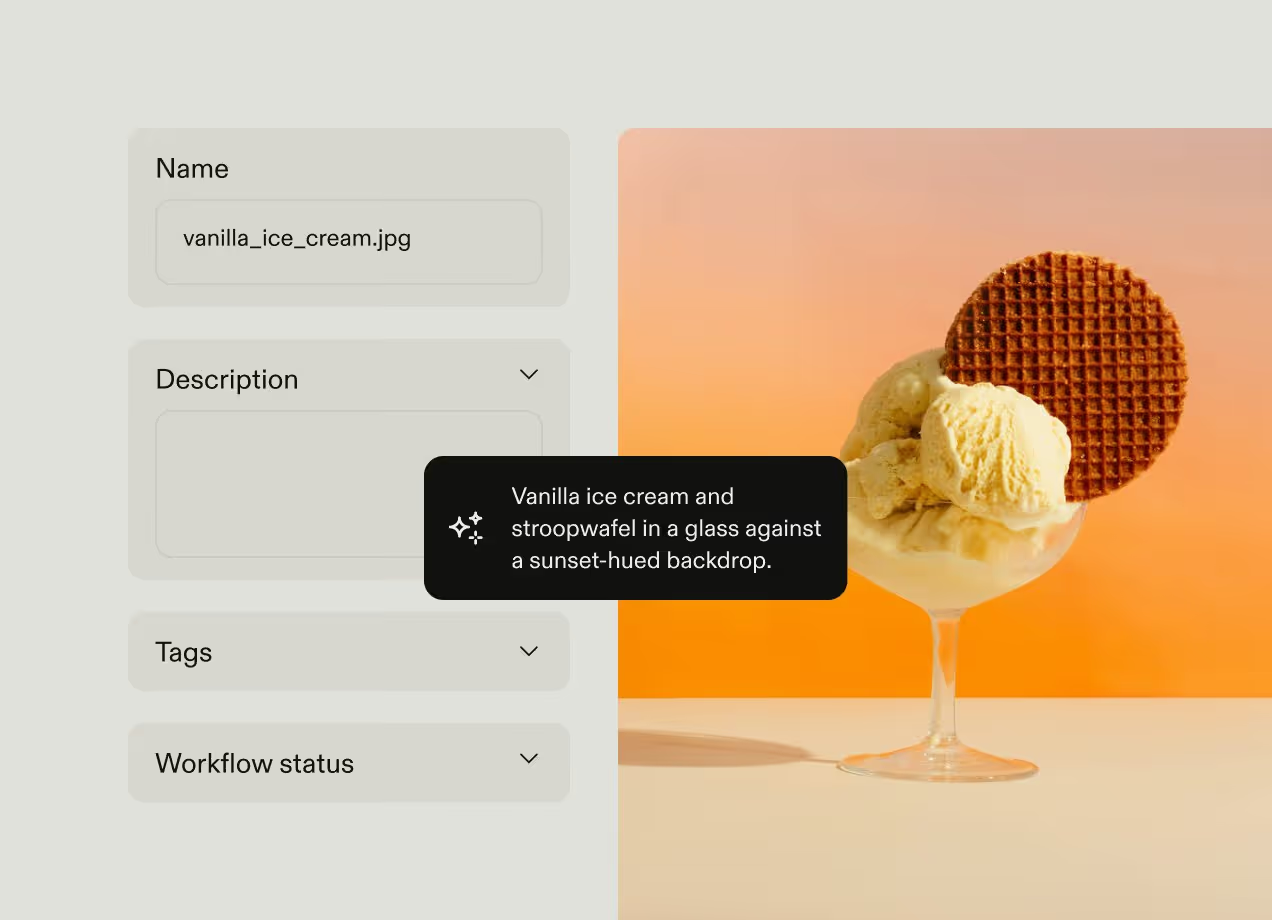
Regions describe the same concepts in different ways, use different languages for tags, and capture varying levels of detail in their metadata. Without alignment on key fields and terminology, search stops working within your DAM.
Use controlled vocabularies to standardize the metadata fields that drive cross-organization discovery, like brand, market, asset type, campaign, language, and usage rights. Build those vocabularies by auditing the terms different teams are already using. Then run an alignment process to agree on your canonical terms for these fields. Where regional terms don't map cleanly onto global equivalents, allow local synonyms as secondary tags.
Someone in your DAM team should take ownership of your metadata schema, approve changes when a new campaign or market doesn't fit existing terms, and prevent teams from adding ad hoc values that quietly undermine consistency within your DAM.
Once you reach tens or hundreds of thousands of assets, manual tagging alone leads to gaps and inconsistency. AI-powered auto-tagging helps maintain baseline consistency at volume, while human review is reserved for critical fields such as usage rights, approvals, and compliance status.
Frontify’s AI-powered auto-tagging helps companies apply consistent metadata at scale. Its customizable fields with controlled vocabularies let global teams standardize their core metadata fields while still allowing regional and descriptive flexibility.
3. Enforce governance across distributed teams
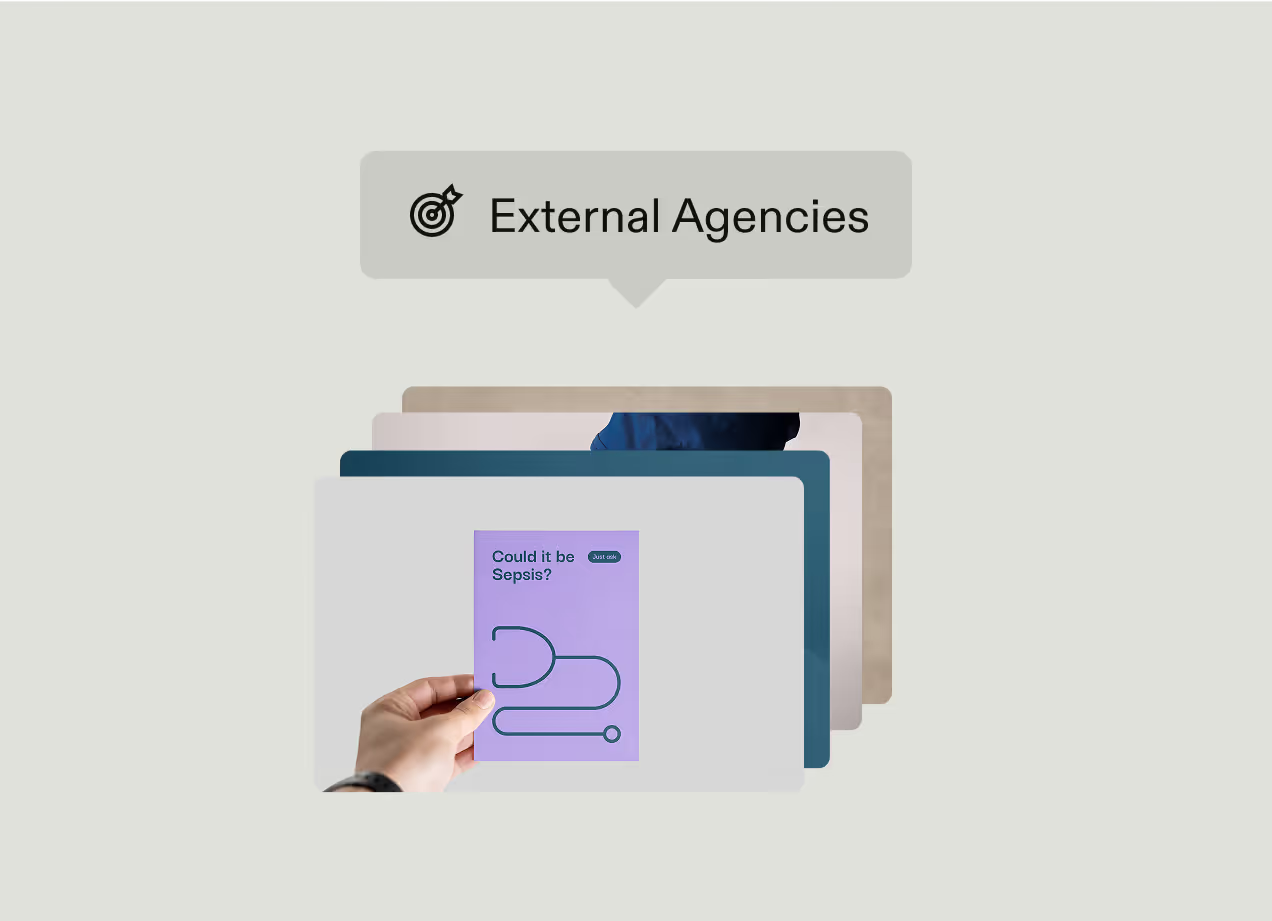
At global scale, governance means enforcing brand standards across regions, agencies, and partners without turning the DAM into a central bottleneck.
Role-based permissions are the starting point for enforcing governance within your DAM, ensuring all users can only access and change things appropriate to their role. A practical permissions structure has four tiers:
- Global brand admins control taxonomy, metadata standards, and publishing rules
- Regional editors can upload and tag within their market scope but can't alter global structure
- Agency or partner contributors have upload-only access scoped to a specific project or portal
- Read-only users who can browse and download from curated views.
Beyond permissions, automated approval workflows and version control enforce governance while using your DAM. Automated approvals route assets through built-in checks for brand consistency and licensing, reserving manual approvals for high-risk actions such as brand changes, legal content, or public-facing launches. Version control automatically replaces outdated assets so legacy files don’t stay in use once they’re updated.
But governance only works if you’re enforcing brand standards that are clear and current. If you rely on PDFs to document your brand guidelines, these docs are hard to distribute and impossible to keep up to date, so teams in different regions end up working from different versions as no-one knows which is the correct one. Make sure your DAM has interactive, online brand guidelines that embed directly into the platform, as this provides your whole company with a central source of truth for your brand standards. This practical change shifts governance from "follow the rules" to "here are the rules, and they're always current."
Frontify supports governance with role-based permissions, approval workflows, and versioning that allow distributed teams to work within defined guardrails. Its interactive brand guidelines — with modular content blocks for color, typography, tone, logo usage, and more — replace static PDFs with a dynamic, always-current reference that keeps standards consistent and actionable across every market.
4. Manage asset rights and expiration at scale
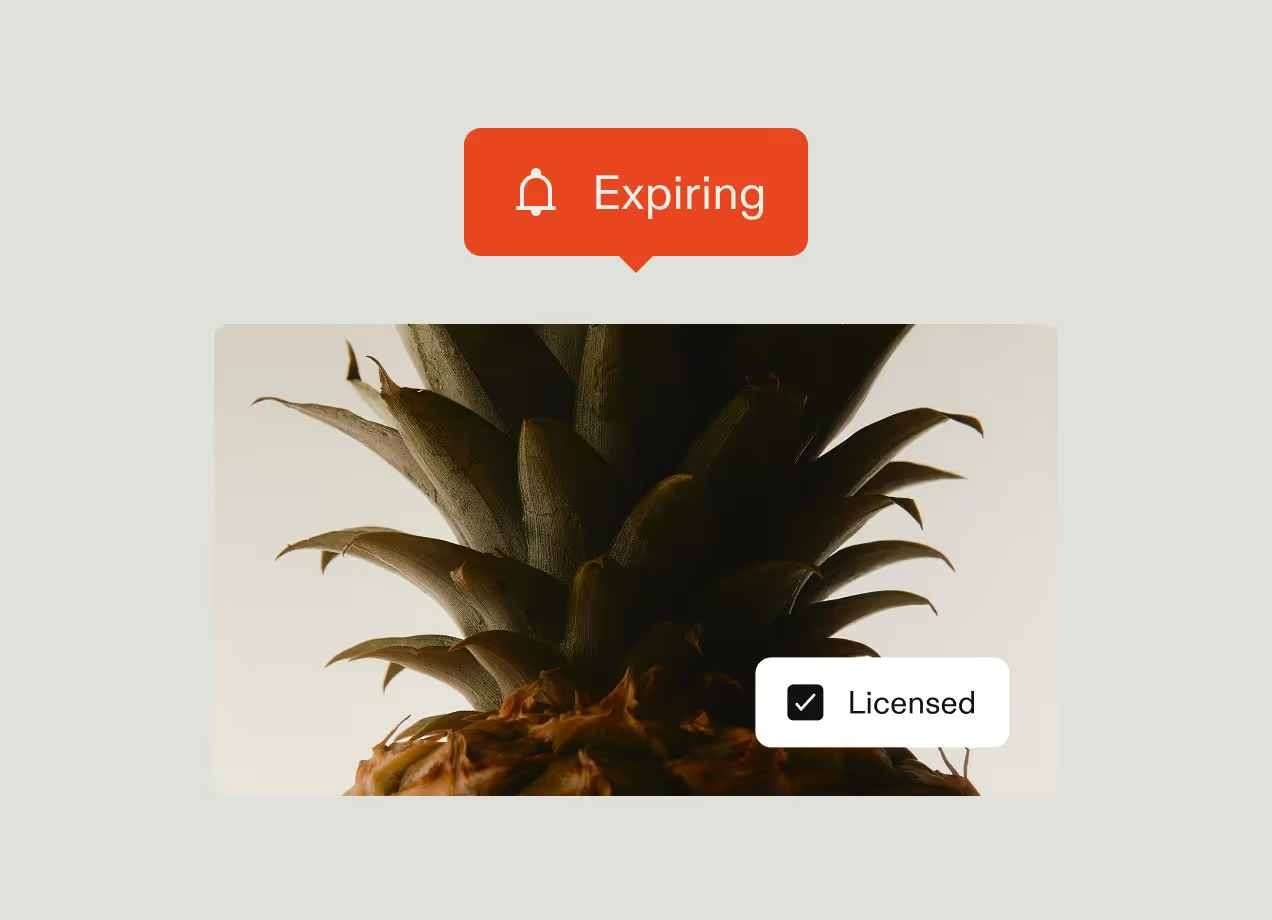
Every licensed image, music track, or talent asset carries constraints on where, how, and for how long it can be used.
Usage rights need to be captured when you first add that file to your DAM, not added in later. This can be harder than it sounds — rights information typically lives in contracts, procurement emails, or someone’s memory rather than in a structured form ready to upload. Your DAM team should provide specific guidance around rights management: whoever commissions or procures an asset is responsible for adding license terms into structured metadata when it enters the DAM. That metadata should cover license type, permitted regions, permitted channels, talent or property releases, and an explicit expiration date.
Tracking usage constraints manually across markets, channels, and campaigns isn't feasible when you have thousands of assets to manage. Use your DAM’s rights management functionality to automatically retire content when usage rights expire.
Frontify supports rights management through structured usage rights metadata, asset-level expiration controls, and permissions that respect market-specific licensing. This ensures expired or out-of-territory assets are automatically removed from circulation, preventing accidental misuse across regions and channels.
5. Tailor access with audience-specific brand portals
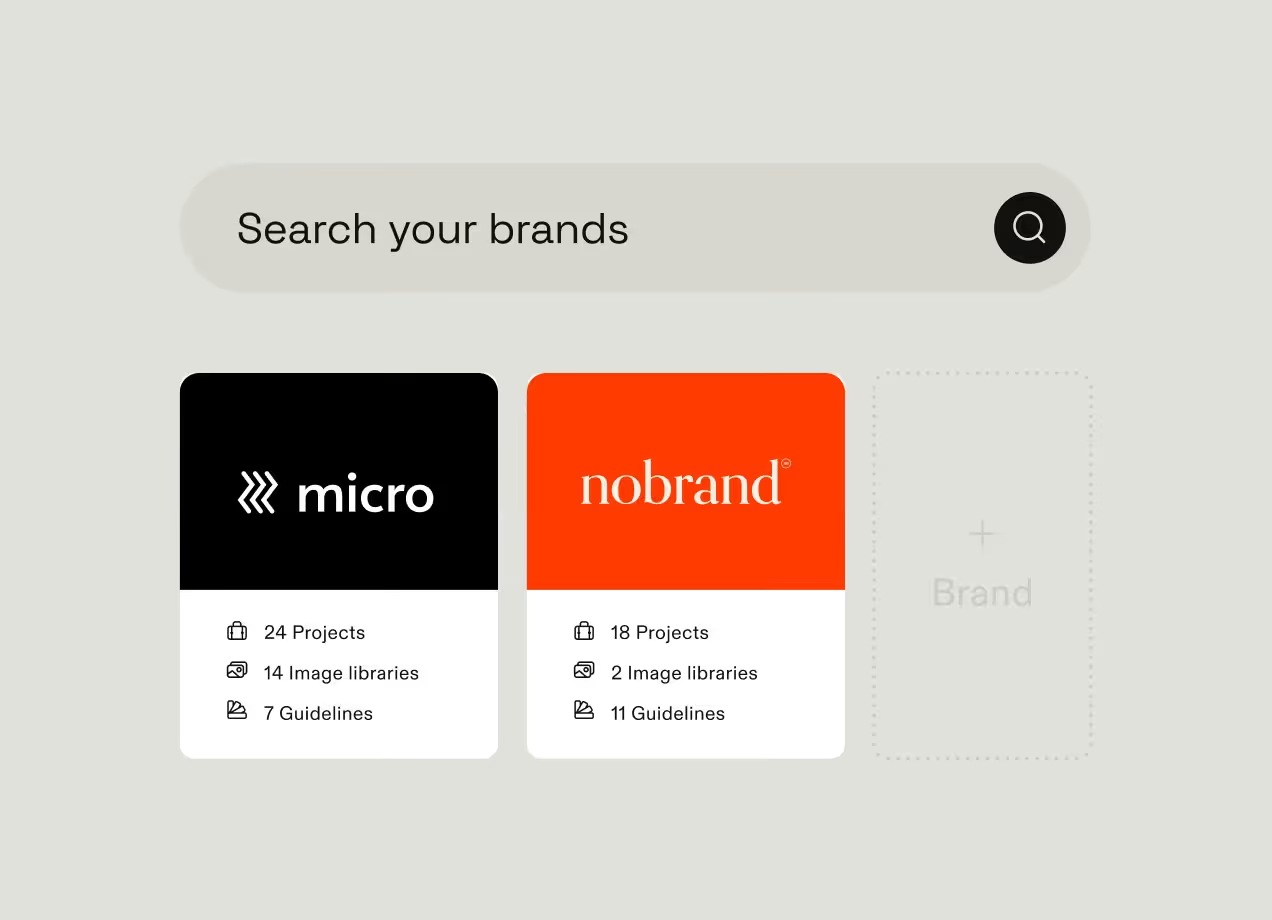
A single DAM interface doesn't work for every audience. Designers, brand managers, sales teams, regional partners, and external agencies interact with assets in fundamentally different ways. Forcing all of them into an admin-style system will limit adoption beyond the core marketing team.
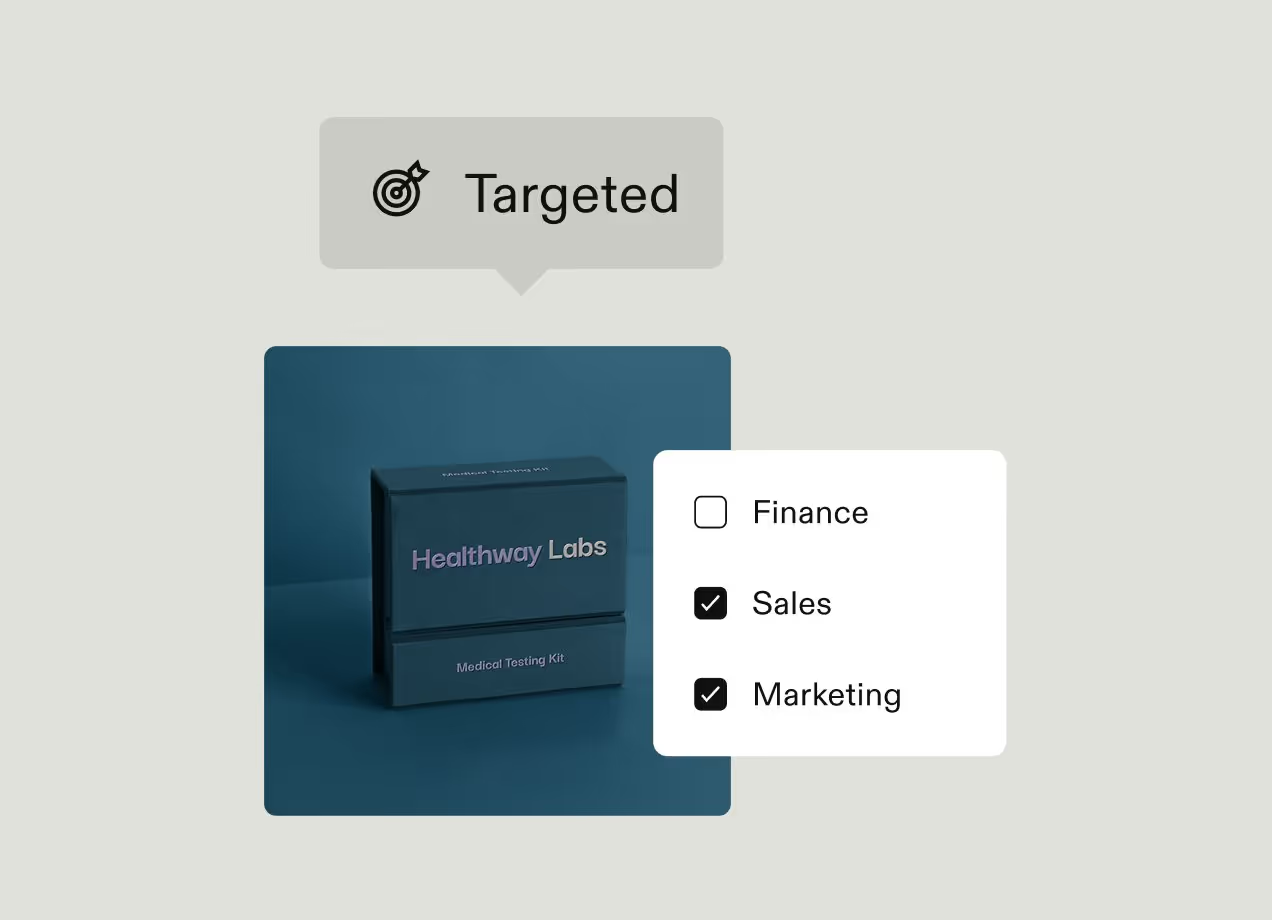
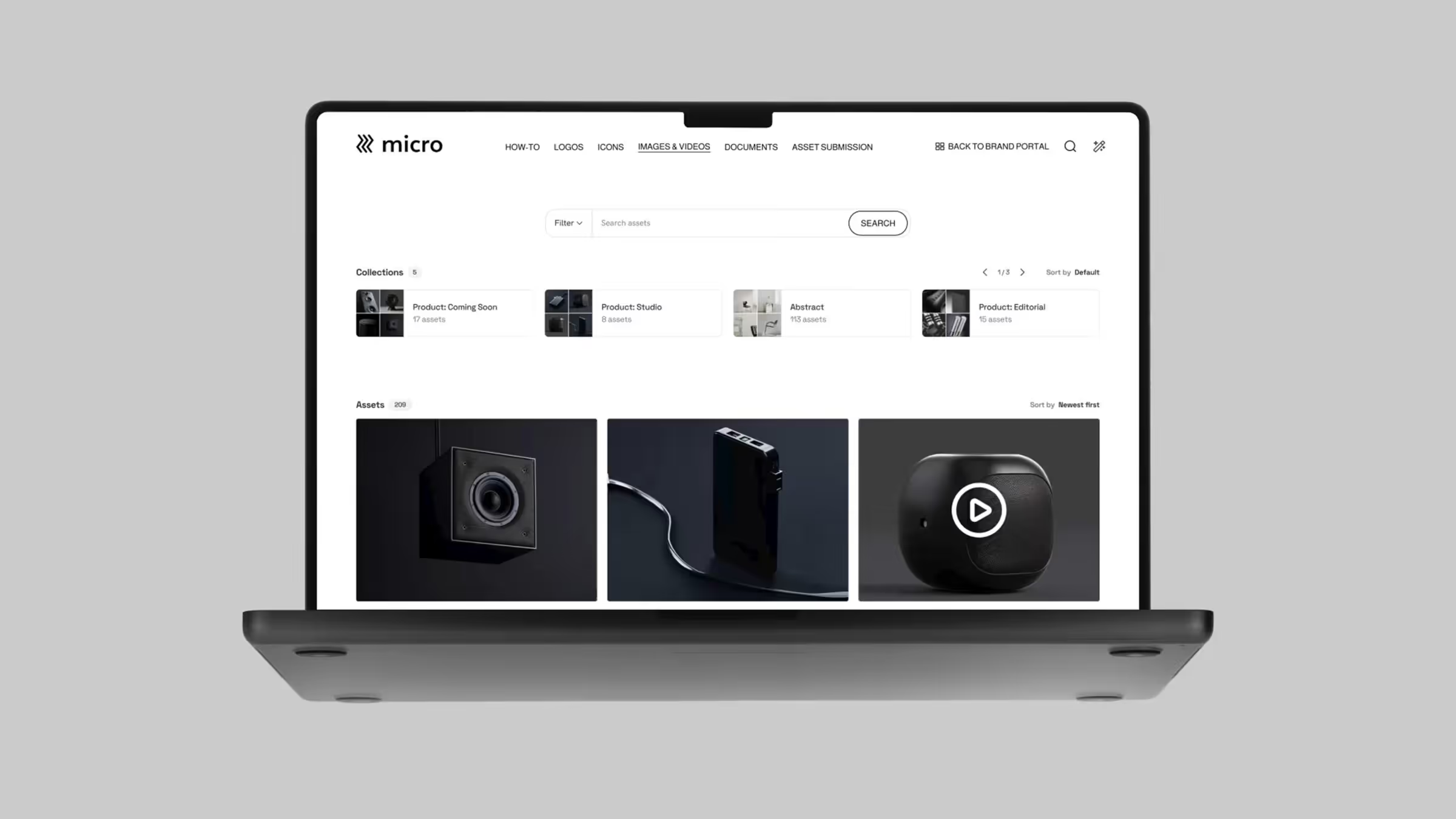
A more effective model separates the backend management from the frontend, everyday use. Admins and creative teams work in the full DAM where assets are structured, governed, and maintained. Everyone else sees a curated layer on top: a branded portal that shows the assets relevant to their role, market, or use case.
For example, a sales enablement portal surfaces approved pitch decks, one-pagers, and product visuals organized by region or industry vertical. A partner portal focuses on co-branding assets, logo lockups, and campaign kits with clear usage rules attached. And regional portals filter assets by market and language, so teams in Germany, Japan, or Brazil only see content cleared for their market.
Most teams can't build all of these simultaneously. Start by identifying which audience is currently creating the most workarounds — downloading assets to personal drives, requesting files by email, or going off-brand because they can't find approved content. That audience should see the most immediate efficiency gain from having a dedicated DAM portal.
Each portal is a different view into the same central library, not a separate system. Frontify's brand portals sit on top of the central DAM, letting teams create audience-specific, branded experiences while maintaining a single source of truth and unified governance throughout.
6. Automate the asset lifecycle
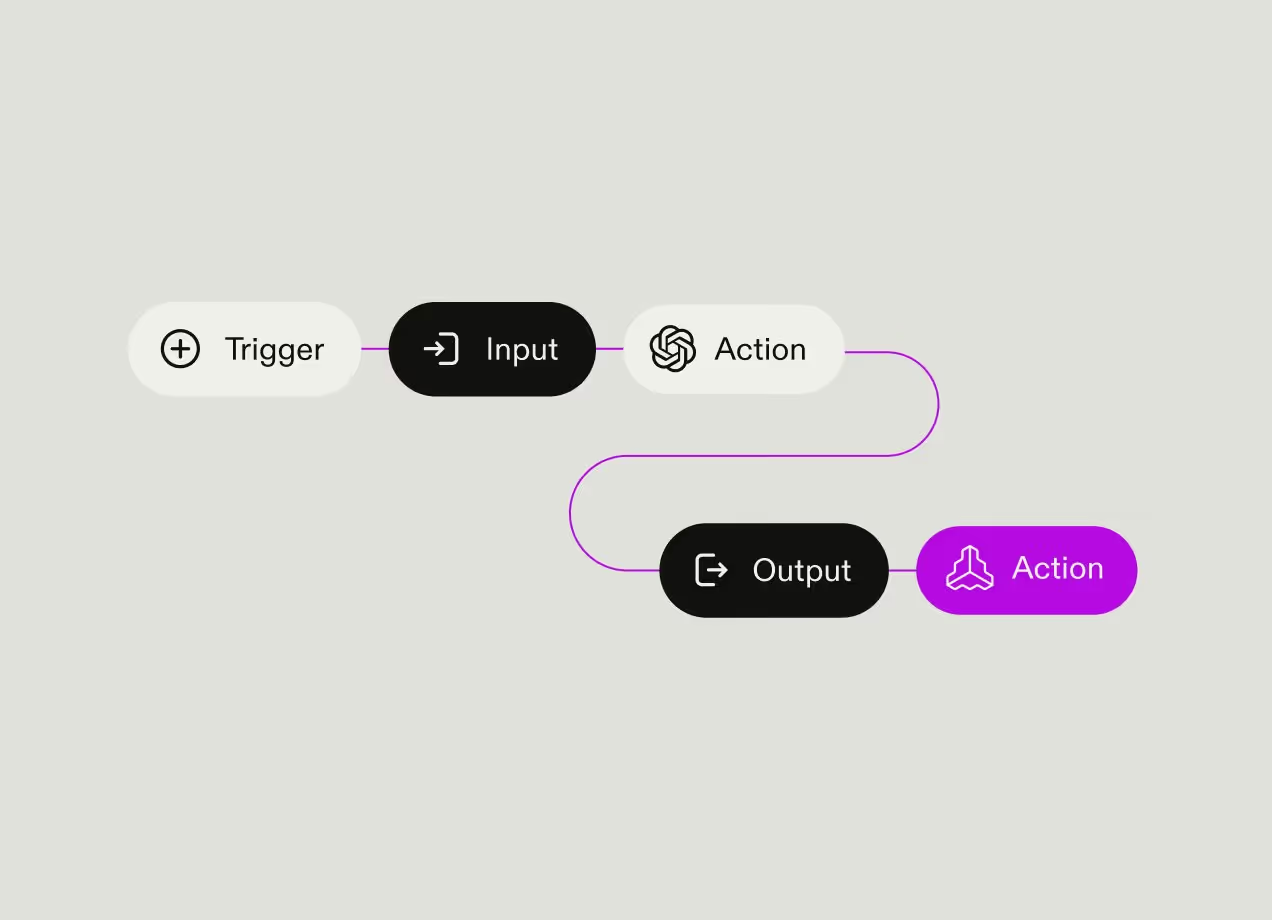
On a global scale, any process that depends on someone remembering to do something eventually breaks. Automation allows asset volumes to grow without requiring the DAM team to grow at the same rate. It improves efficiency, but also boosts consistency as the same rules are applied the same way across files for every brand, region, and team.
The highest-value automation points are the repetitive tasks that occur across every asset:
- AI-powered auto-tagging applies metadata at the point of upload
- Routing rules place assets into the correct collections and portals
- Workflow automations move content through review stages
- Expiration rules automatically retire assets when licenses or approvals lapse.
Automation should also extend beyond library maintenance into content production. Global organizations often need hundreds of localized asset variants across languages, markets, formats, and channels. Instead of creating each version manually, use automated generation workflows to produce approved variants at scale from a common set of brand-controlled assets.
Frontify supports this approach through lifecycle automation features including auto-tagging, rule-based organization, workflow automation, and automated expiration. Frontify's Creative API extends automation into content production, enabling bulk generation of localized and channel-specific assets.
7. Drive adoption beyond the marketing team
A DAM only delivers value when people use it. A perfectly structured, governed, and automated platform that serves only the marketing team doesn’t benefit the business.
Adoption usually stalls because the system was designed for the people who manage it, not the people who use it. Users can’t find what they need, are unsure whether assets are current, or need help to adapt assets for their use case. As a result, they email a colleague, ask the brand team, or recreate assets from scratch. Each workaround weakens the DAM's role as the source of truth.
The most successful DAM programs drive company-wide adoption with:
- Audience-specific portals so users see only the content relevant to them
- Plain-language search to make assets easier to discover
- Integrations to bring approved content into the tools teams already use
- Clear approval status and governance signals to build trust that what users find is current and ready to use.
Two specific features are particularly effective at driving adoption among non-design audiences. Locked, editable templates let teams create on-brand assets independently, so a sales rep can update a presentation, or the HR team can design a recruiting flyer — all without design software or creative team support. Additionally, an AI brand assistant lets users get immediate answers to brand questions in natural language rather than waiting for the brand team to reply to emails or Slack messages.
Frontify drives adoption across the wider company through audience-specific portals, AI-powered search, native integrations, and visible governance controls. Digital & Print Templates enable non-designers to create compliant content through locked brand parameters and self-service editing, while the Brand Assistant provides answers to brand-related questions sourced directly from brand guidelines.
8. Measure what's working with usage analytics
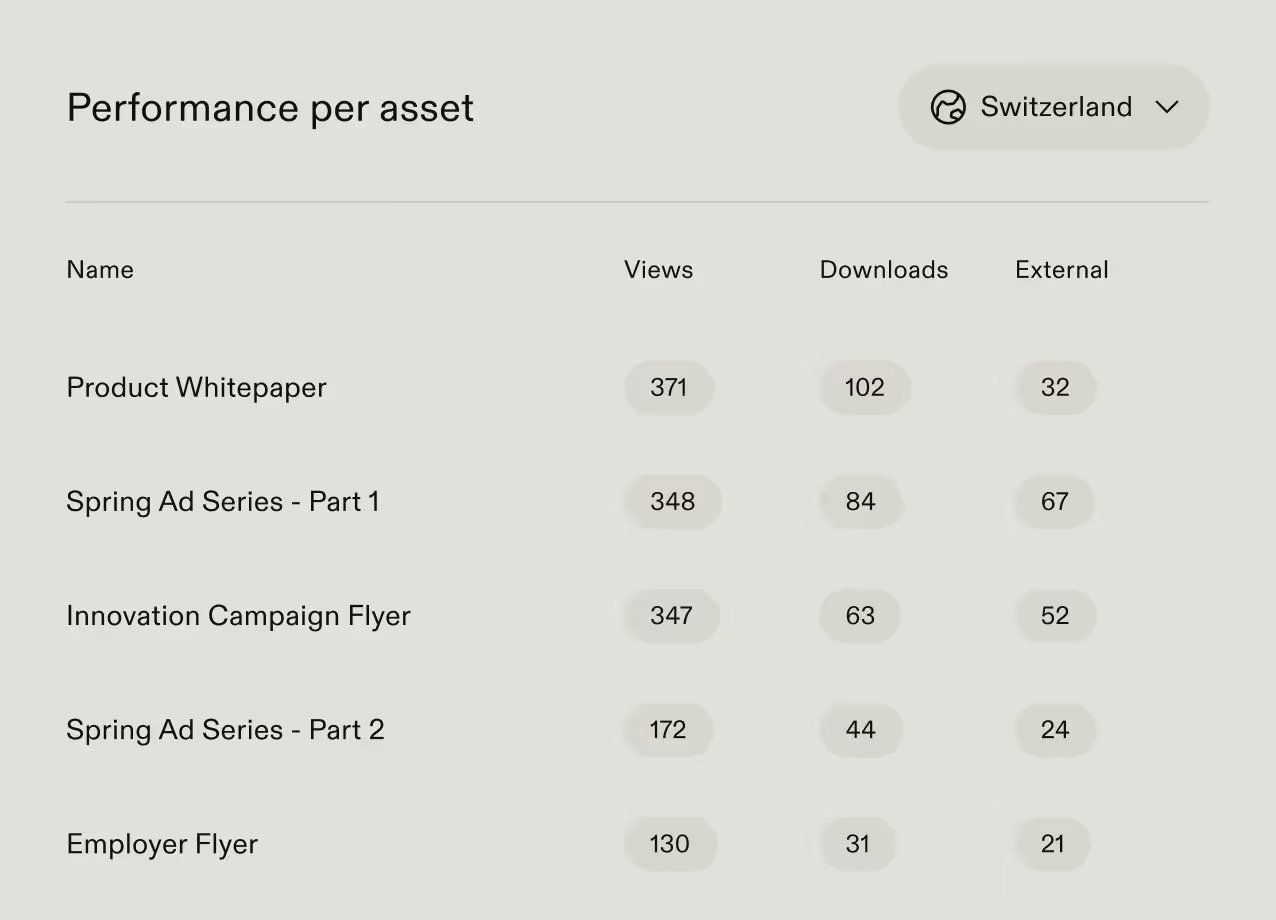
When you have hundreds of thousands of assets in use across different regions, brands, and teams, analytics data reveals what’s delivering value, what’s being ignored, and where adoption is breaking down.
Start by measuring DAM activity on a monthly cadence, such as searches, downloads, views, and portal engagement. A high volume of searches with low download rates typically signals a metadata or taxonomy problem — users are looking but not finding. High downloads with low reuse often indicate that assets aren't production-ready, or that teams are downloading as a workaround and adapting content outside the system. Low portal engagement in a specific region usually points to an access, relevance, or awareness gap rather than a content quality problem.
Then, act on the data:
- High-performing assets should inform future content briefs
- Unused assets should be archived or removed
- Repeated failed searches should trigger a metadata review
- Low adoption in specific teams or regions should lead to targeted training and support.
Usage data also helps demonstrate the DAM's business impact. Instead of reporting on the size of the library, teams can show how assets are being used across the organization and where the platform is driving efficiency.
Frontify's built-in usage analytics provide visibility into what assets are used, by whom, and where. This gives teams the data they need to optimize the library, improve adoption, and demonstrate the platform's value across the organization.
9. Treat your DAM as connected infrastructure, not a silo
A DAM works best when it’s embedded into the systems people already use. If users have to leave their tools to find or publish assets, adoption drops and workarounds reappear, regardless of how well the DAM is structured.
A few deep, native integrations are more valuable than a long list of shallow plugins. A designer should be able to pull approved brand assets directly into Figma without exporting and re-uploading. A marketer should be able to insert up-to-date imagery into a PowerPoint or Google Slides deck without breaking version control. Integrations with tools like Adobe Creative Cloud, Canva, Microsoft 365, and Google Workspace should keep the DAM present inside existing workflows.
The same principle applies to delivery. CDN-based asset distribution lets websites, apps, and digital campaigns embed assets directly from the DAM, so updates happen automatically. If a hero image is replaced or a logo is updated, every instance across web pages, product interfaces, and regional sites updates instantly.
This connected infrastructure layer is also evolving to include AI accessibility. AI tools used for content generation, campaign planning, or writing assistance increasingly need access to approved brand elements to produce on-brand outputs. An MCP server connection lets those tools query the DAM directly for that information rather than relying on information the user has manually provided, which may be outdated or incomplete. So AI-generated content draws from a governed, always-current brand source rather than working from memory.
Frontify supports this infrastructure layer through native integrations with major creative and productivity tools, CDN-based asset delivery that keeps digital touchpoints continuously in sync, and AI-ready architecture including a native MCP server that allows brand systems to be securely consumed by AI tools.
How Frontify supports DAM best practices at scale
The practices in this article only work if the underlying platform is designed for a global scale from the start. Multi-brand complexity, regional autonomy, external partners, and high asset volumes change the nature of what a DAM has to do. Frontify is built for the reality of managing assets in an international, multi-brand organization.
The central requirement across all nine practices is adoption. If people don’t use the system, governance, structure, metadata, and automation lose their impact. Frontify’s adoption-first architecture addresses this by separating the back-end DAM from the front-end experience. Admins and creative teams work in the full system where assets are structured, governed, and maintained. Everyone else — sales teams, agencies, regional marketers, and partners — interacts through curated, audience-specific brand portals built on the same governed library.
This separation is what makes global-level adoption achievable. Instead of forcing every user into a complex DAM interface, Frontify delivers tailored entry points that reflect how different teams actually work, while preserving a single source of truth underneath.
FAQs