
Companies building a brand today have more assets, channels, and contributors to keep track of than ever before, and the right tools make a real difference to how consistently that brand shows up. But it can be difficult to know which tools suit your organization's circumstances and requirements.
The category has also split. On one side are systems that govern the brand; on the other are tools that produce content from it. And the new question across both is whether the platform's AI actually knows your brand, or just tags your files.
This guide covers how to evaluate brand management software and compares nine tools across those two lanes, using the governance and AI criteria that separate them. Monitoring and listening platforms, which measure how the brand is perceived externally, sit outside its scope.
This guide is maintained by Frontify, which is included among the tools below; every tool was assessed on the same criteria using current product and pricing documentation, with named analyst recognition identified separately.
What is brand management software?
Brand management software helps organizations create, manage, and scale a consistent brand across every channel. It brings brand assets, guidelines, templates, and governance into one connected system.
At the center of many enterprise brand operations is a DAM: the governed system of record for approved brand assets. Guidelines, templates, approval workflows, and increasingly an AI layer sit around it, so the assets people find are the assets they're allowed to use, with the rules attached.
Eight key capabilities to look for:
- Brand governance: Define rules, permissions, and guardrails to protect brand integrity at scale.
- AI brand intelligence: AI grounded in governed brand guidance and assets, with permissioned ways for external AI tools to retrieve content or perform approved actions.
- Asset management: Organize, search, and distribute approved brand assets from a single source of truth.
- Templates: Enable teams to create on-brand content quickly without starting from scratch.
- Approval workflows: Streamline reviews and sign-offs to keep projects moving.
- Automation: Reduce manual work with automated updates, versioning, and content distribution.
- Integrations: Connect seamlessly with design tools, CMSs, DAMs, and marketing platforms.
- Analytics: Measure adoption, usage, and compliance to understand brand performance.
Monitoring and listening platforms are a different category. They measure how the brand is perceived, from social mentions to media coverage and sentiment, which is a different job from governing how it's produced. They sit outside this guide.
How to evaluate brand management software
Choosing brand management software can be a lengthy process. Here's an overview of the most important things to look for when comparing and selecting tools for your company.
Core capabilities
When evaluating brand management tools, make sure they have the fundamentals and core functionality you'd expect from that type of tool.
- For DAM tools: Centralize assets, enable advanced search and metadata, control versions, manage permissions, and track how assets are used and adopted across teams. Our guide to DAM features goes deeper.
- For content creation tools: Support templates with brand controls, approval workflows, and publishing to the channels your teams use.
- Across all tools: Prioritize usability, fast onboarding, and native integrations with existing systems.
Brand governance features to look for
Governance is the capability most tools claim and fewest develop. Permissions alone aren't governance: they control who gets in, not whether the right asset is used, by the right people, for as long as it's allowed. Take this checklist into every demo:
- Rights management with expiry alerts, so licensed assets stop being used when the license ends
- Granular permissions and audience targeting, so each team, region, or partner sees only the assets meant for them
- Approval workflows and publication approvals, so nothing goes live without sign-off
- Version control, so an outdated logo can't survive in circulation
- Audit trails and security compliance (SSO, certifications), so IT and legal can sign off
- Multi-brand and multi-region governance, so sub-brands and markets get their own rules without a second system
- Usage analytics, so the brand team can see what's adopted and what's ignored
Then ask the vendor to show three things: what happens when a license expires, what a regional user sees when they search for an asset they shouldn't have access to, and what happens when someone tries to publish without approval. The answers separate governance from storage.
AI brand intelligence
AI needs its own evaluation axis because vendors use "AI-powered" for capabilities that solve different problems. Ask three separate questions. A product can be strong on one without offering the others, so treat them as independent rather than as steps on a ladder.
Can the AI find and organize our assets? Look for auto-tagging, metadata enrichment, duplicate detection, visual or natural-language search, and support for the file types you actually use.
Can it answer from governed brand guidance? Ask which approved sources the AI uses, whether access permissions carry through to its answers, and whether answers link back to the source material.
Can external AI tools retrieve content or perform governed actions? Distinguish retrieval from action. One connection may search for and return permissioned assets; another may generate a governed document or update a workflow. Most vendors build these connections on the Model Context Protocol (MCP), an open standard for connecting AI assistants to external tools and data.
Applied to the tools in this guide, the answers differ. Frontify's Brand Assistant uses the guideline content each user can access to answer questions, references its source material, and can help locate relevant assets. The Frontify MCP server exposes guidelines, assets, creative templates, and workflow capabilities through permissioned tool packs. Aprimo's May 2026 release introduced an MCP server that connects external AI tools to permissioned Aprimo content, and expanded its agentic content operations. Templafy MCP connects external AI assistants to Document Agents that apply templates, rules, and approved content to generate governed Office documents; it's a document-generation connection rather than a general guideline-query or DAM-retrieval layer.
On a demo, ask: What sources ground the answer? Do our existing permissions carry through? Can the connection retrieve the rules as well as the files? What actions can the external AI tool perform? Then ask the vendor to show it working with your own content.
Enterprise requirements
Enterprise teams often have more complex brand management requirements than smaller businesses, so they should look for tools that are built to scale and can handle more complex brand needs.
- Support multi-brand and multi-region management to handle portfolios, sub-brands, and global teams.
- Enable localization and permissions so regional teams move fast without breaking brand rules.
- Enforce governance and security with SSO, granular access control, and audit trails.
- Scale reliably as asset libraries grow and more users work concurrently.
Total cost of ownership
It's easy to focus only on the licensing cost when comparing tools, but it's just one part of the long-term cost of brand management tools. Hidden operational costs (both monetary and in lost resources or productivity) often determine long-term ROI, adoption, and team satisfaction.
- Factor in implementation and onboarding time before teams see value.
- Account for training and user adoption efforts across roles and regions.
- Evaluate template operations and maintenance overhead as brands evolve.
- Review integration costs and support tiers to avoid surprises as your usage grows.
Brand management software compared at a glance
Best brand management software for 2026
We've grouped the tools into two categories:
- Enterprise DAM and brand governance platforms are the system of record for the brand. They govern approved assets, guidelines, access, rights, and distribution, so teams find the right files and use them correctly.
- Content creation and templates tools help people produce specific outputs, from social graphics to collateral and business documents, with brand controls applied as they create.
Many enterprise teams use a DAM from the first lane as the system of record and one or more tools from the second for production. The first lane governs assets, guidelines, access, rights, and distribution across the brand system; the second applies brand controls while people create specific outputs. Both can include AI and governance, but at different layers.
Enterprise DAM and brand governance
Frontify
The Frontify MCP server gives Claude, ChatGPT, Cursor, and other compatible AI tools permissioned access to Frontify guidelines, assets, creative templates, and workflow capabilities. The Brand Assistant uses the guideline content each user can access to answer brand questions, reference its source material, and help locate relevant assets, in more than 100 languages. AI tagging and natural language search keep the library organized and findable. Together, they make Frontify the governed brand-context layer that other tools draw from.
Frontify is an enterprise DAM at its core, wrapped in brand guidelines, templates, governance, and AI-powered brand intelligence.
Governance is built in. Lifecycle dates and advance expiry notifications keep licensed assets from being used past their end date. Roles, user groups, and targets control who sees which libraries and guideline content. Template publications can require mandatory approval before anyone downloads them. SSO and security compliance are covered on the security page, multi-brand and multi-region structures keep sub-brands and markets in one system, and asset analytics show what's actually used.
Around that sit interactive guidelines, locked self-service templates, media optimized and delivered through Frontify's CDN, and integrations with Adobe Creative Cloud, Figma, Sketch, InDesign, Salesforce, and CMSs like Sanity, Webflow and Contentful.

- Spring Health completes a basic template in about 10 minutes, saves 16+ hours on each template created, and has published 175+ templates since go-live.
- Uber has 20,000+ Frontify users, and usage increased 136% over the last 12 months.
- Alfa Laval replaced static PDF guidelines with Frontify. In the first eight months, 3,500 users accessed the platform and 80,000 assets were downloaded.
Best for: Enterprise teams governing brand and creative assets with AI
Standout: Enterprise DAM, guidelines, templates, and governance in one place, with an MCP that connects AI tools to the brand system
One consideration: Best suited to teams that need a governed brand system rather than simple file sharing
Pricing: Custom pricing available on request. Pricing is based on the number of monthly active users, so you only pay for the people who are actively using your brand assets.
Bynder
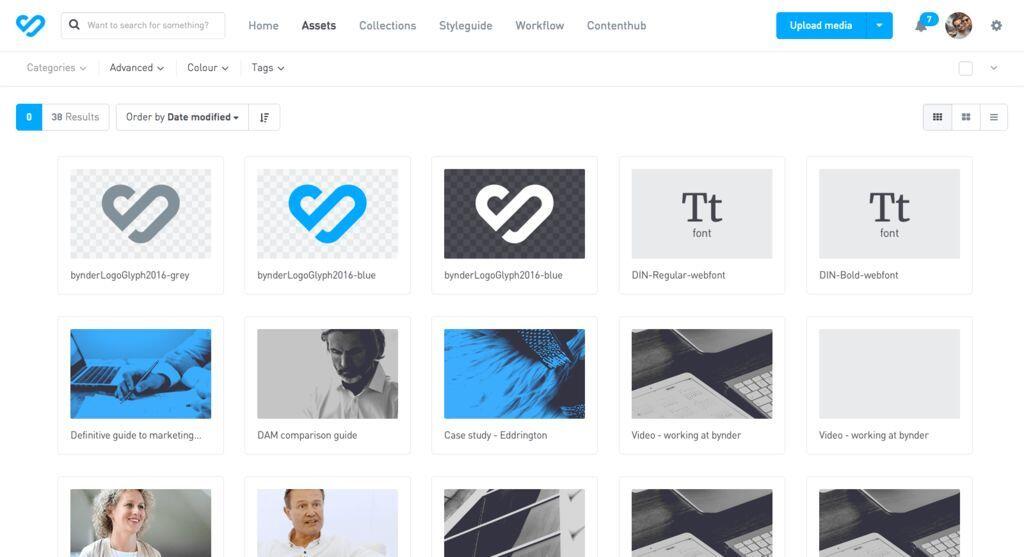
Bynder is an established enterprise DAM, launched in 2013, built around content workflows and distribution at scale. Its modular platform adds asset workflow, creative studio, and analytics modules to the core DAM, alongside brand guidelines and Digital Brand Templates. Its AI includes natural language search and customizable AI agents. The depth is the point: Bynder suits organizations with complex content operations that are ready to shape the platform around them.
Best for: Broad content operations at scale
Standout: Established enterprise DAM with deep content workflows
One consideration: Best suited to organizations prepared to configure an enterprise DAM around their content operations
Pricing: Quote-based. Bynder builds a customized, modular package around its core DAM, with pricing influenced by the number of users, storage, usage across your martech ecosystem, the products included, and the level of support.
Aprimo
Aprimo is a DAM and content operations platform for large marketing organizations, connecting digital assets to work management, reviews, and marketing spend. Its May 2026 release introduced an MCP server that connects external AI tools to permissioned Aprimo content, and expanded its agentic capabilities with librarian agents that customize ingestion and enrich complex content. Aprimo also reports being named a Leader in The Forrester Wave: Digital Asset Management Systems, Q1 2026. It's the broadest content-operations option in this lane, which suits teams that want the DAM, review, and spend in one platform.
Best for: Enterprise marketing teams connecting DAM to work management and spend
Standout: Agentic DAM with Librarian Agents and an MCP server for permissioned Aprimo content
One consideration: Best suited to organizations seeking a broader content-operations platform rather than a standalone asset library
Pricing: Quote-based.
Brandfolder
Brandfolder, part of Smartsheet, is a DAM positioned for enterprise usability. Its AI tags assets and flags duplicates on upload, its usage analytics show which assets people view, download, and share, and its Brandguide product keeps digital brand guidelines connected to the asset library. For teams already running work management in Smartsheet, the integration between the two is a practical advantage.
Best for: Teams that prioritize usability, asset distribution, and fast adoption
Standout: Usability-first DAM with digital Brandguide, usage analytics, and Smartsheet integration
One consideration: Best suited to teams that center their brand operations on DAM usability and asset distribution
Pricing: Quote-based.
Air
Air is a visual-first creative DAM for images, video, and creative files, with feedback, review, and approvals built into the same workspace. AI tagging and natural language search help teams find assets in large visual libraries, and the gallery-style layout suits creative teams that browse more than they search. It's a lighter option than the enterprise DAMs above, built for accessible organization and collaboration rather than enterprise-wide governance.

Best for: Small and mid-size creative teams
Standout: Visual-first creative DAM with review and approvals built in
One consideration: Best suited to creative workflows that need accessible asset organization and collaboration
Pricing: Air lists four plans (checked November 2026):
- Free: $0, for up to 3 users
- Starter: $125/month billed monthly, or $1,200/year billed annually
- Business: $1,100/month billed monthly, or $10,800/year billed annually
- Enterprise: Custom pricing
Content creation and templates
Canva Business
Canva is a visual content-creation platform built for non-designers. The Business plan goes beyond a basic Brand Kit: it includes Brand Kits, brand controls that lock fonts, colors, and layouts, and approval workflows, so teams can create quickly inside set boundaries. Those controls govern content as it's created in Canva; they aren't designed to make Canva the organization's asset system of record.
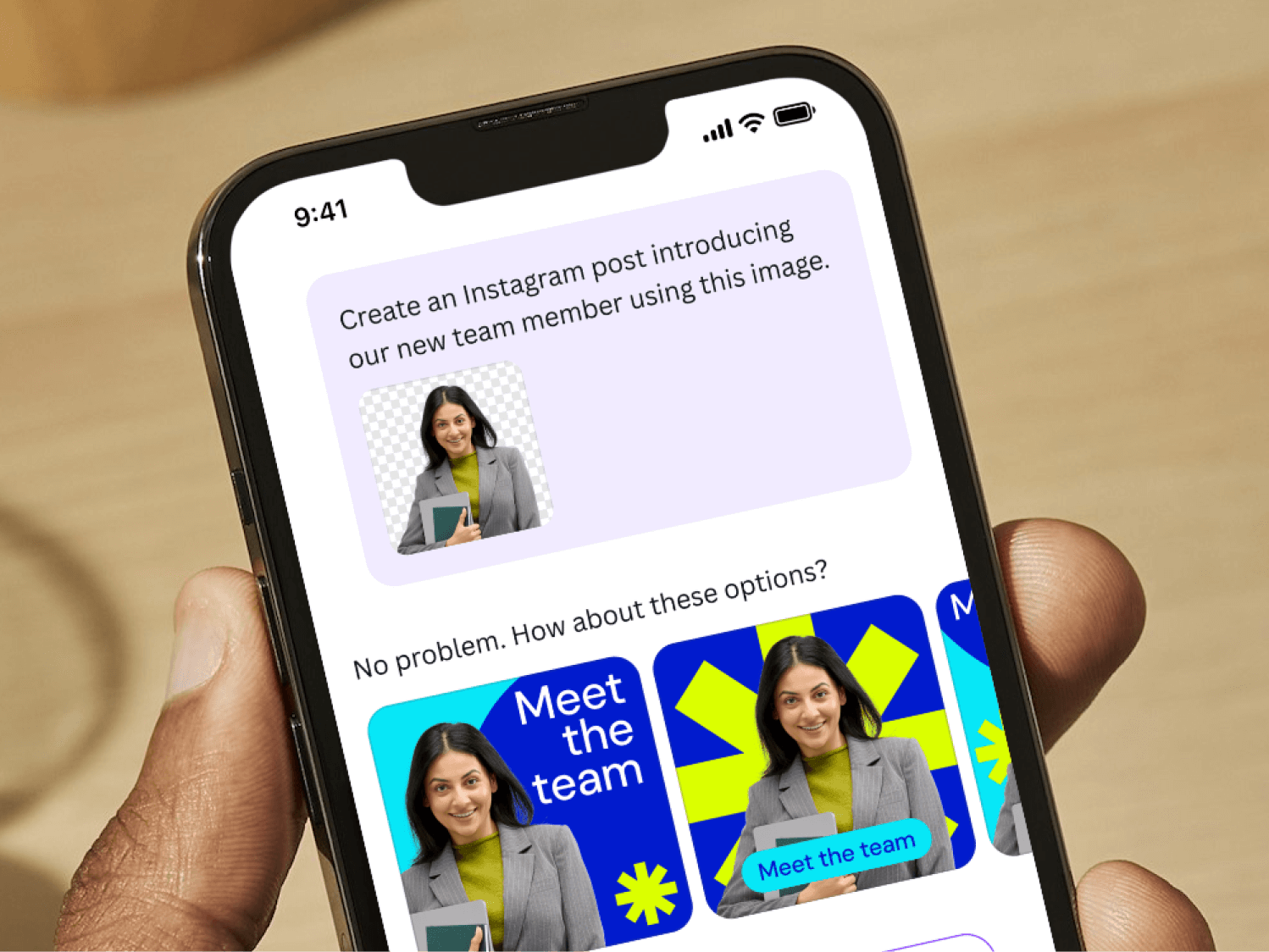
Best for: Non-designers creating visual content fast
Standout: Drag-and-drop creation with templates, Brand Kits, controls, and approvals
One consideration: Centered on visual content creation rather than serving as an enterprise DAM and asset system of record
Pricing: Canva Business is billed per person. Canva Enterprise is a separate plan with custom pricing that adds more Brand Kits, multi-team management, tiered approvals, and SSO.
Marq
Marq (formerly Lucidpress) is built for template-driven collateral. Brand teams lock templates fully or partially, connect data automation to sources like spreadsheets and feeds to populate content such as product specs or property listings, and route projects to an approver before they can be downloaded, printed, or published. It also manages brand assets alongside templates and connects to DAMs like Bynder, so it complements an asset system of record rather than replacing one.
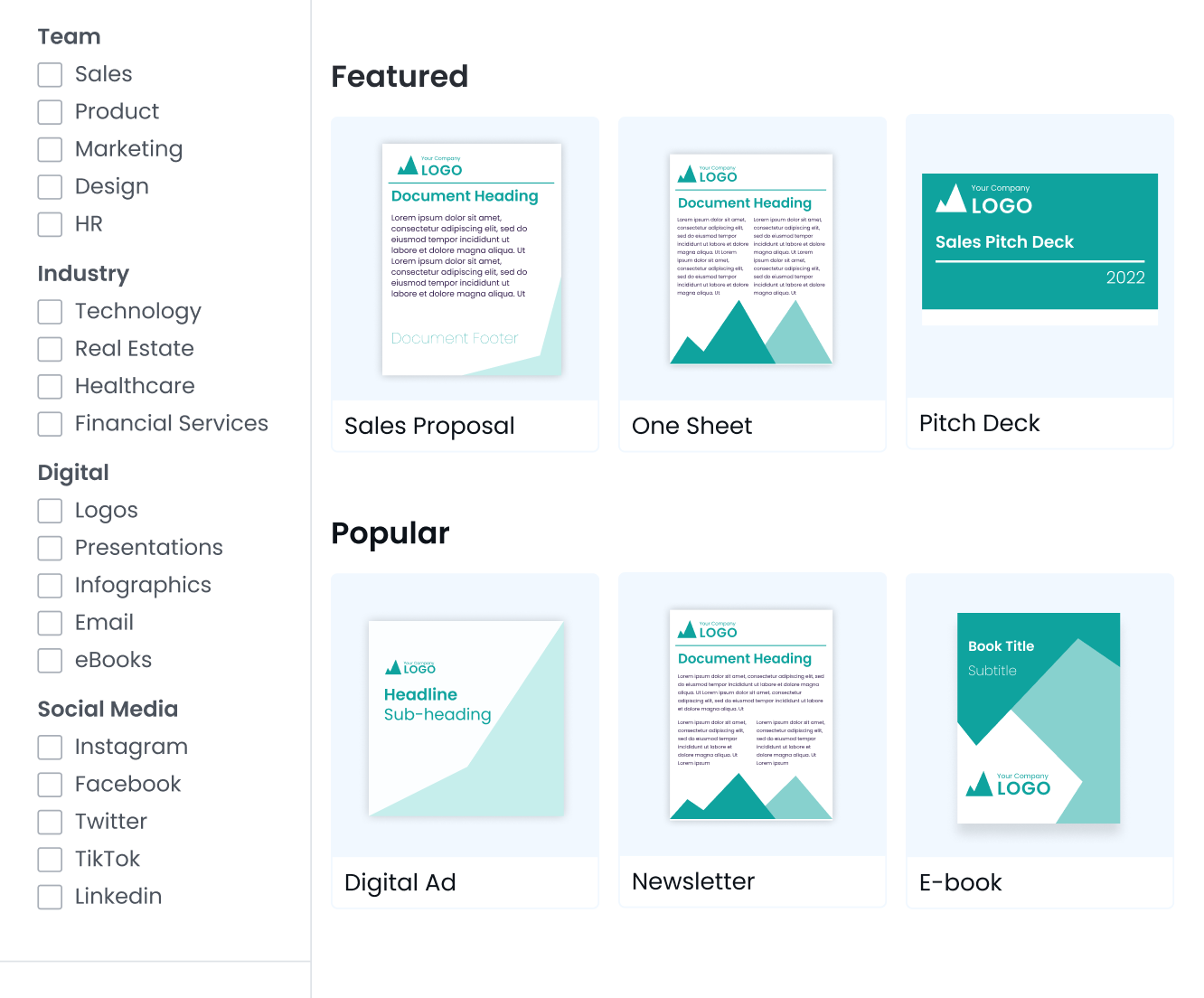
Best for: Scaling templated print and digital collateral
Standout: Locked brand templates for non-designer production
One consideration: Best suited to template-driven collateral production rather than enterprise asset management
Pricing: Marq offers free and individual plans, a per-user Team plan, and custom pricing for larger organizations.
Adobe Express for Enterprise
Adobe Express is Adobe's content-creation app for non-designers. On its business plans, brand teams build templates with lockable elements, store fonts, colors, logos, and images in brand kits, and give people access to Adobe Stock content and Firefly generative AI, which Adobe says is trained on licensed content such as Adobe Stock. Through Adobe Workfront, Express files can go through unified content reviews and approvals. It works on its own, but it's most differentiated for teams already using other Adobe products.
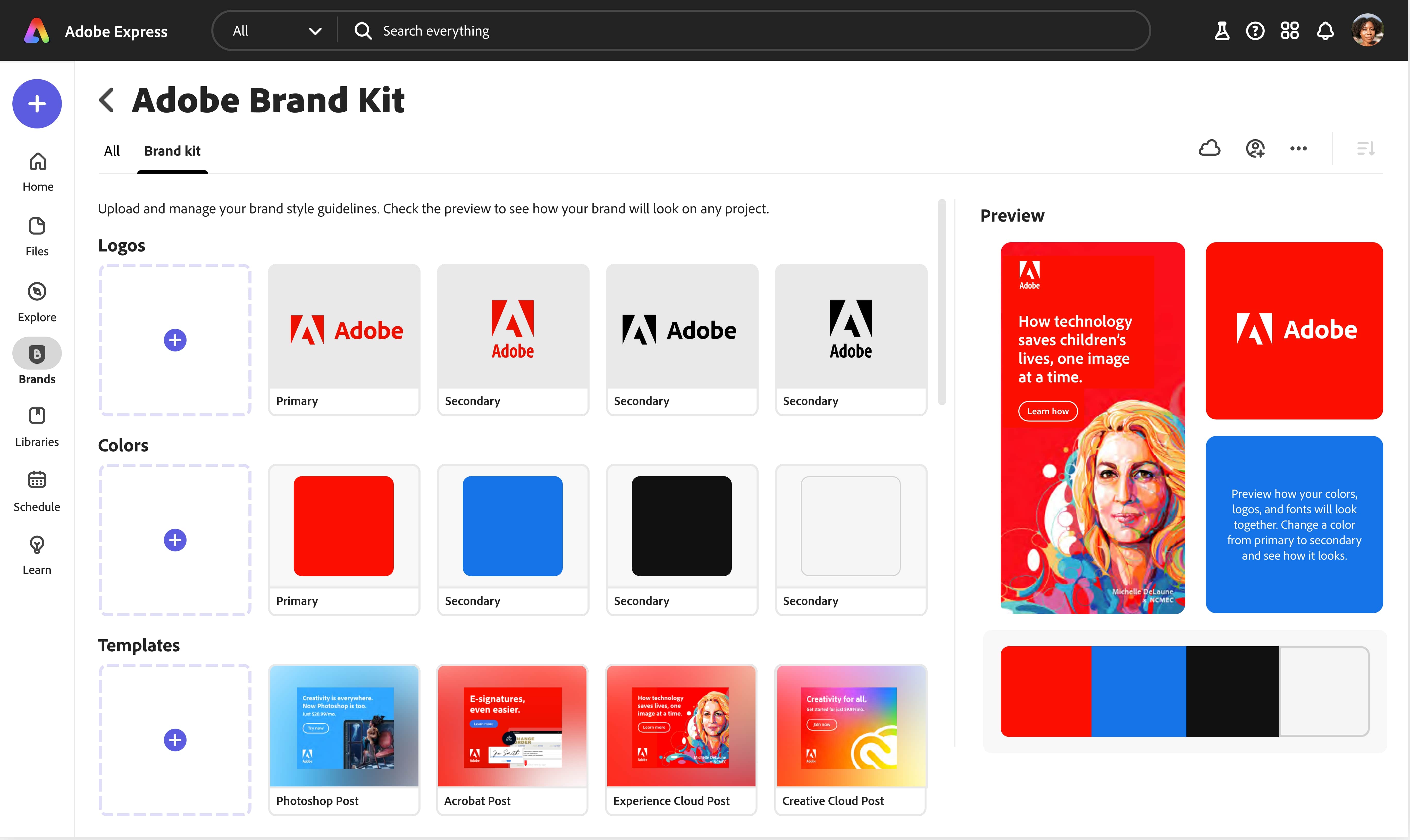
Best for: Teams already in the Adobe ecosystem
Standout: On-brand content creation with locked templates, Adobe Stock, and generative AI
One consideration: Most differentiated for teams already working across Adobe products
Pricing: Adobe Express for teams starts at US$4.99 per person per month for the first year, then US$7.99, with a two-seat minimum. Adobe Express for enterprise is quote-based and typically requires 10 or more users.
Templafy
Templafy covers a brand problem most guides ignore: a lot of off-brand enterprise output lives in PowerPoint, Word, and Outlook rather than in campaign assets. It's an enterprise document-generation platform that applies approved templates, brand elements, and compliance rules at the point of creation. Its Document Agents turn AI-generated material into editable, governed Microsoft 365 documents, and Templafy MCP, launched in May 2026, connects external assistants such as ChatGPT, Claude, Copilot, Gemini, and Perplexity to those agents. Templafy also works in Google Workspace and Salesforce, but its clearest distinction in this guide is governed business-document creation.
Best for: Enterprises where brand risk lives in Word, PowerPoint, and Outlook
Standout: Governed document generation, with an MCP connecting external AI assistants to Document Agents
One consideration: Focused on governed business documents rather than creative asset management
Pricing: Quote-based and enterprise-focused.
Common mistakes when choosing brand management software
Choosing a content tool when you need a system of record
Content tools can provide Brand Kits, template locking, approvals, and other useful controls at the point of creation. They still solve a different problem from a DAM that governs approved assets, rights, guidelines, access, and distribution across the organization. If the recurring problem is that people can't find or identify the right asset, evaluate the first lane.
Confusing permissions with governance
Access control is one line on the checklist. Rights expiry, approvals, version control, audit trails, and governance analytics complete the picture. Products in both lanes can provide governance, but at different layers: a content tool governs what's created inside it, while an enterprise DAM governs the assets and rules everything else draws from.
Treating AI as a checkbox
Vendors use "AI-powered" for very different capabilities. Ask whether the product can organize assets, answer from governed brand guidance, and let external AI tools retrieve content or perform governed actions. Don't assume these form a single maturity ladder; a product can be excellent at one and absent from the others.
Underestimating adoption
A platform nobody opens governs nothing. Weigh onboarding, usability, and whether the tool meets people in the applications they already use, from design tools to AI assistants, rather than asking them to change how they work.
Build your brand toolkit for 2026
Start with the job. If the need is producing content faster, from social graphics to collateral and business documents, the second lane has strong options. If the need is to govern the brand and give your AI tools a source of truth, you need an enterprise DAM with brand intelligence from the first lane. If the need is monitoring or listening, that calls for a complementary platform outside this guide.
For the first lane, Frontify connects the DAM to guidelines, templates, governance, and the AI layer, and runs alongside the creative, content, and monitoring tools your team already uses. Book a demo to see it with your own brand. If you're already on another platform, see how to switch to Frontify, or browse Built with Frontify to see it in use.
Brand management software FAQs
Do we need brand management software if we already have a DAM?
Not necessarily. Many enterprise brand operations already use a DAM as their system of record, and the question is whether yours also provides the guidelines, templates, workflows, governance, analytics, and AI connections the organization needs. If people find the right logo but apply it wrongly, or regional teams rebuild the same templates from scratch, those are gaps around the DAM rather than in it. If your DAM already covers them, a content-creation tool from the second lane may be all you need to add.
Why is brand management software essential for enterprise teams?
Enterprise teams operate across regions, channels, and partners, which increases the risk of brand inconsistency. Brand management software creates a single source of truth for brand-related information and files that scales with that complexity. It empowers local teams and content production at scale, while protecting the brand with clear rules and approvals.
How does AI support brand management?
AI is only as good as what it's grounded in, so a few things need to be in place before AI features deliver value. Metadata should be clean and consistent enough for search and recommendations to work. Guidelines should be current and structured, because a brand assistant will confidently repeat an outdated rule. And permissions should be defined, so AI answers and AI tool connections respect who's allowed to see what. Teams that sort these out first get far more from the same AI features than teams that switch them on and hope.
How can our AI tools use our brand guidelines and assets directly?
Through an MCP server that connects the AI tool to your brand platform. The Frontify MCP server is hosted by Frontify and connects tools like Claude, ChatGPT, and Cursor to your account through permissioned tool packs. The brand-portal pack lists guidelines and reads guideline pages, the discovery pack searches assets and templates read-only, the creative-automation pack exports creatives from templates, and other packs upload and tag assets, update metadata, and manage workflow tasks and statuses. Frontify recommends starting with the read-only discovery pack and adding write-capable packs once you've decided where human review sits.
What governance features matter most for regulated industries?
Rights expiry comes first: in insurance or healthcare, a licensed image or a consented patient photo used past its end date is a compliance problem, not just a brand one. Approvals per content type matter next, so regulated materials go to legal or compliance while lower-risk assets move faster. Audit trails let you show who used or changed what, and when. And permissions by audience keep internal, partner, and public materials apart, so the wrong version never reaches the wrong market.
What should I look for when implementing brand management software?
Start with clear goals around governance and adoption. Choose software that integrates with your existing tools and fits how your teams already work. Prioritize ease of use, strong onboarding, and scalable permissions to drive early adoption across regions and roles. Finally, look for software that will scale with your brand, with options to manage multiple brands, operate in different regions, or easily add large numbers of users or assets.