
The problem: When reviews become bottlenecks
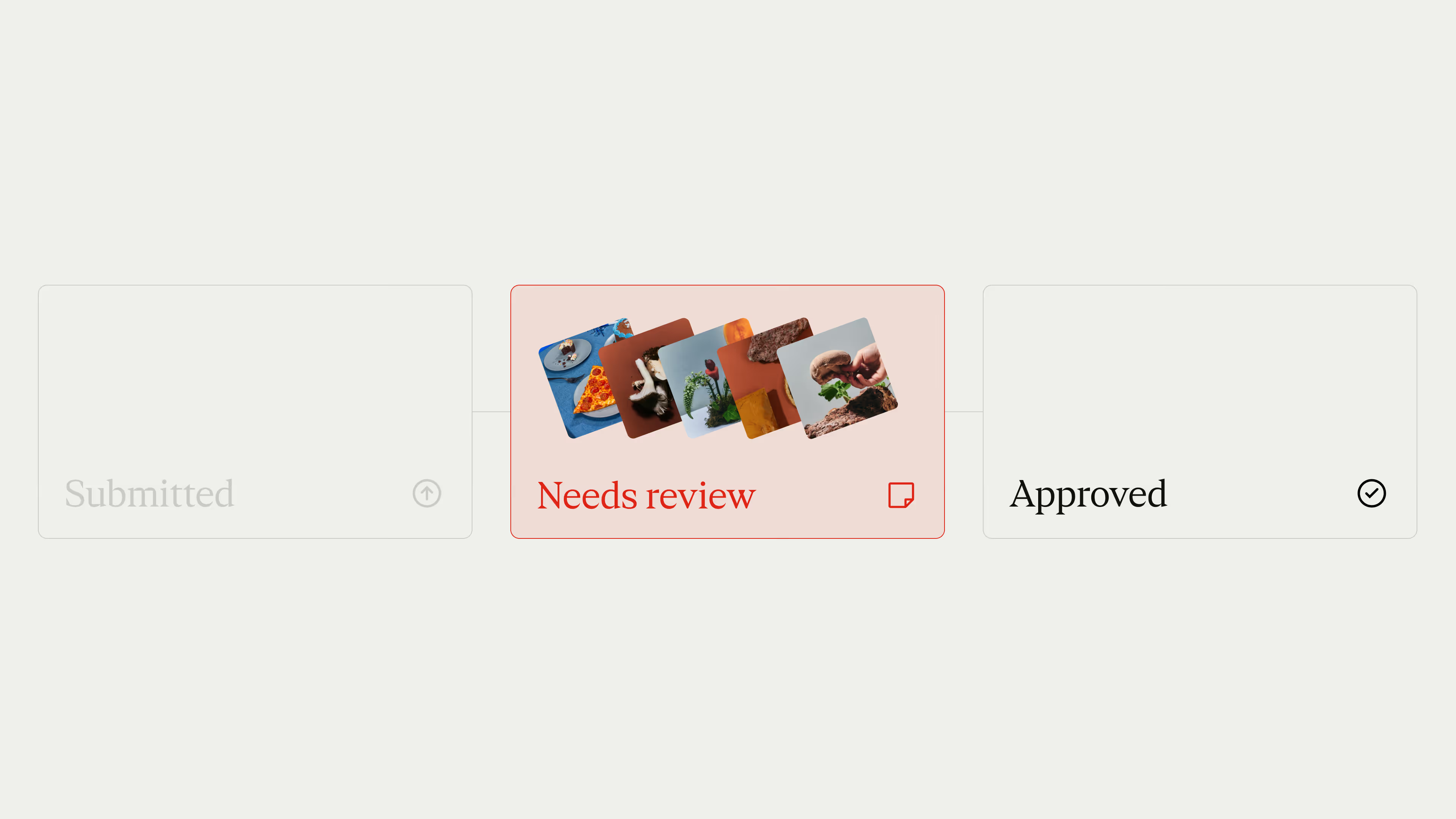
Even when all the do’s and don’ts are documented in your brand guidelines, mistakes still happen. That’s why most creative assets require reviews and approvals before they launch. But those reviews quickly pile up and become bottlenecks for marketing teams that wait days or weeks for approval.
It’s rarely the review itself that takes long. It’s all the little things that add up: a color that’s slightly off. An outdated logo version. A wrong dash or apostrophe. A typo here and there. “Just one more change.” And when another department needs to sign off? Add another week.
Fact is: Teams spend countless hours on this tedious but critical work. But it’s 2026, and our workflows are not what they used to be.
How AI is changing the game
We now have AI that understands your brand guidelines and never tires of reading documentation, no matter how often it changes.
Vision language models can identify what’s in an image: logos, text, key visuals, and disclaimers. But spotting elements is only part of the puzzle. Meaningful feedback needs context: What’s the brief? What's the project? Which guidelines apply? That information already lives in Frontify.
So, we asked: What if we could use these technologies to automatically check whether assets follow the rules?
From idea to prototype
This led us to our first experiment, the Brand Check app, which analyzes your assets against your guidelines and reports issues automatically.
After installing the app from the Frontify Marketplace, users can set up automations in a library or project and run the brand check when new assets are created or when the workflow status of an asset is changed. When users view an asset, they open the app to get a detailed report including visualizations, issues, and ratings.
We saw the potential immediately. But what if it worked like any other collaborator on your team?
That’s what led us to Specs.
Meet Specs: The fast, accurate and friendly reviewer.
Specs is an AI agent that knows your guidelines inside and out and has a sharp set of (proverbial) eyes.
You can ask Specs to review assets for you at every step of the way.
But rather than adding another chat interface, Specs lives in your workflows — and collaborates like any other team member.
Putting Specs to work
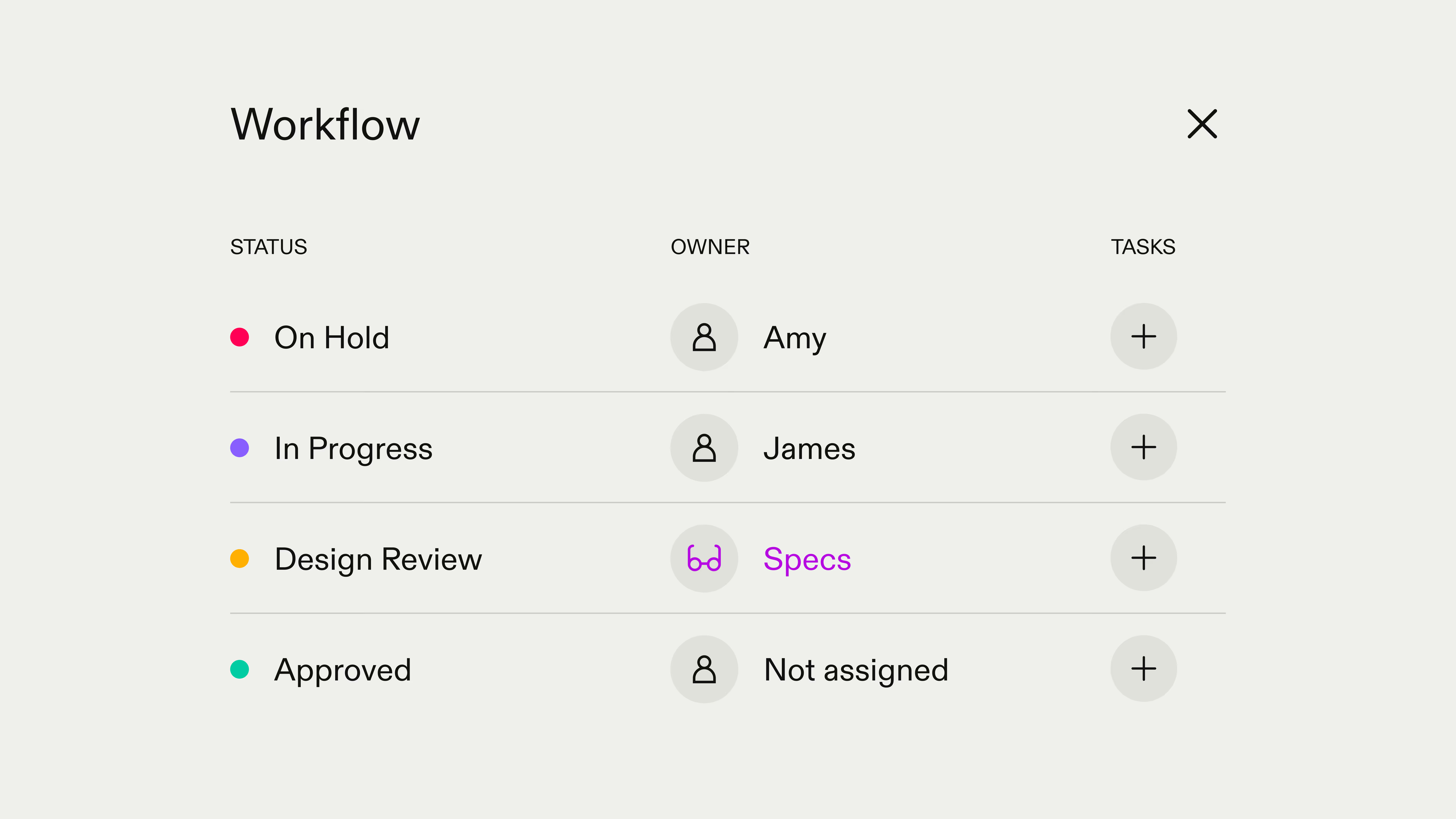
Because Specs lives in your workflows, setting it up feels familiar. Here's how it works:
Invite Specs as a collaborator: You invite Specs as a reviewer to your project just like any team member. You control what it can see and do.
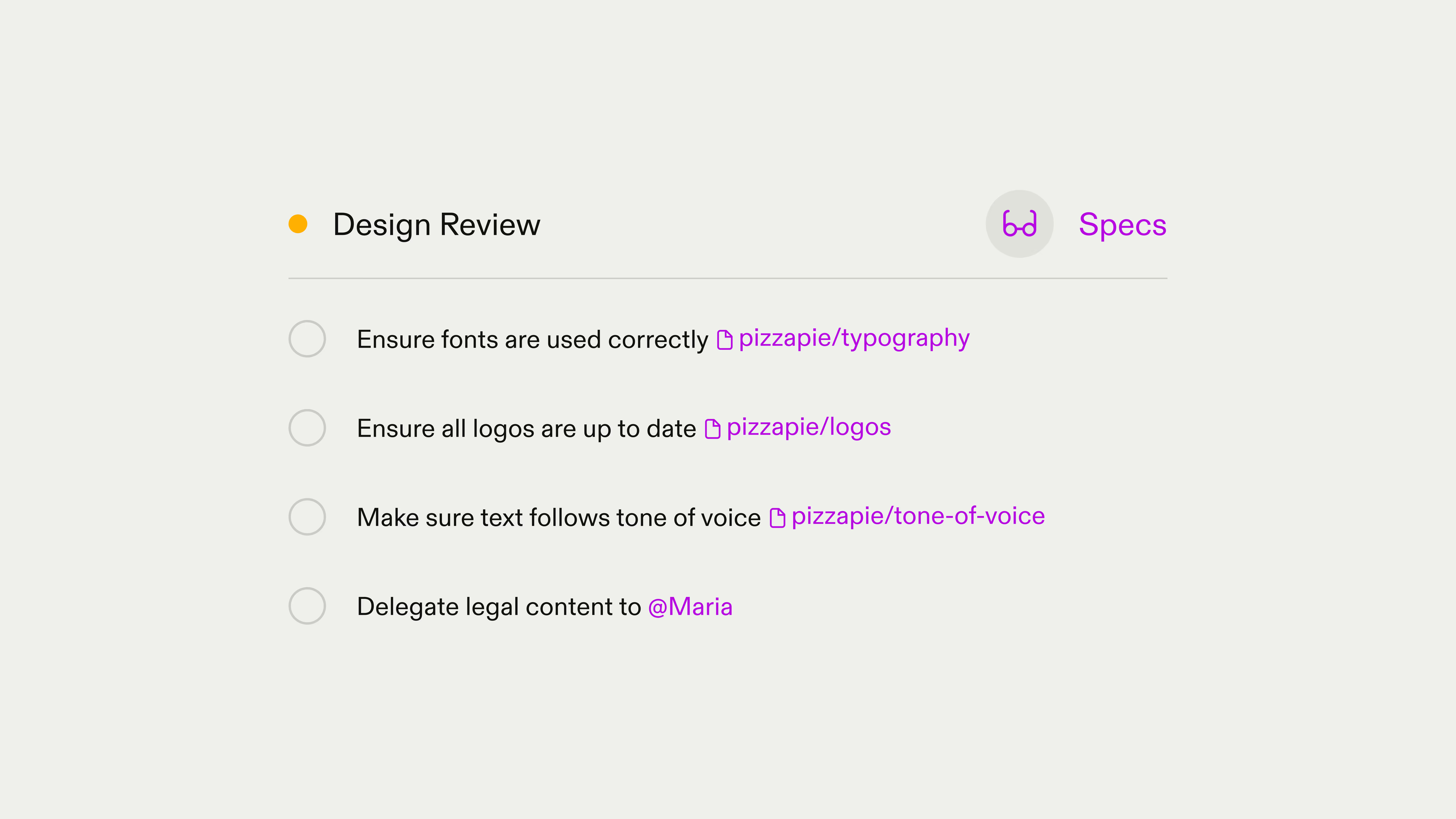
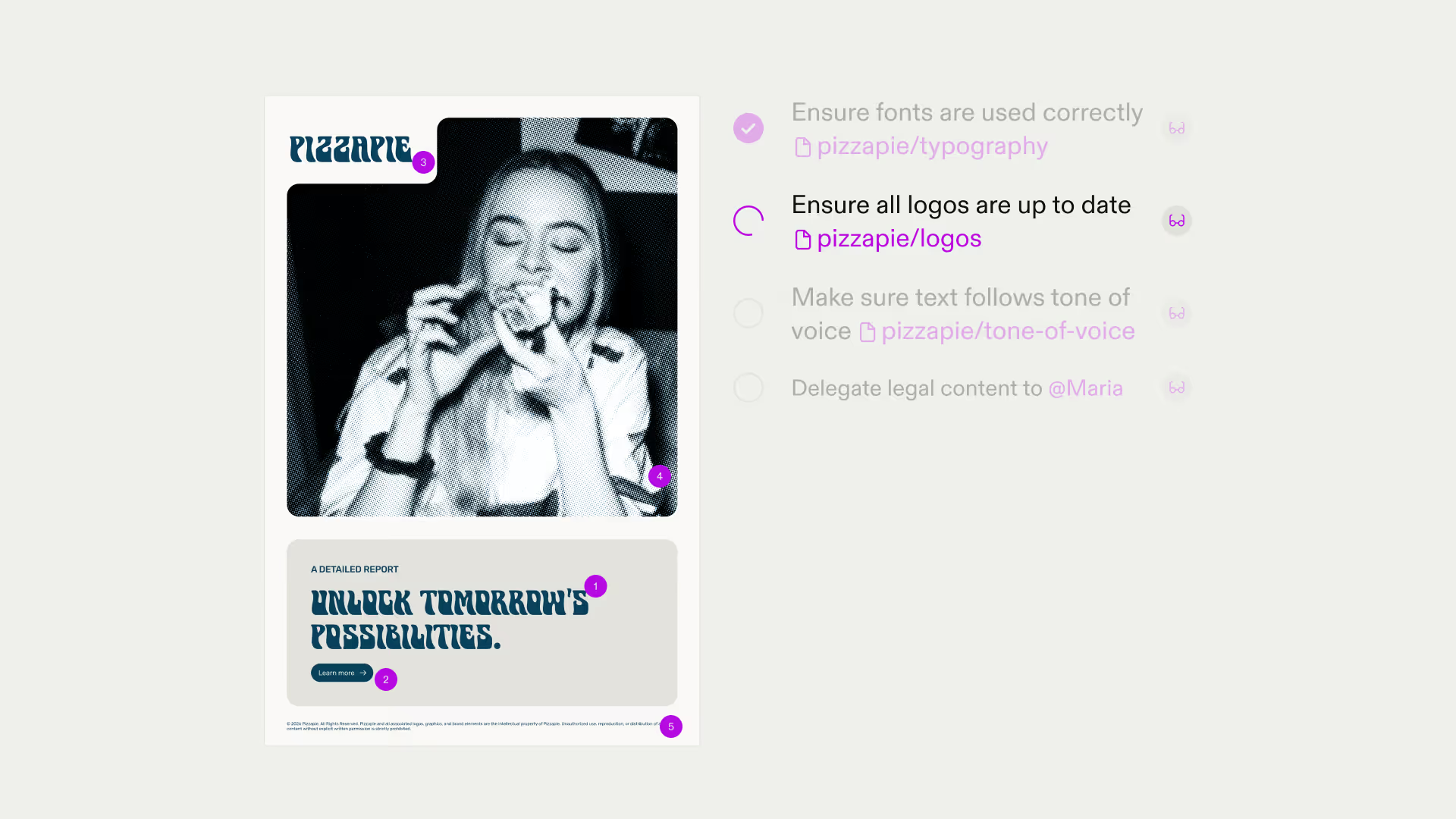
Create review workflows with natural language tasks: In your project, you create review workflows with statuses like “Design review,” and set up checklists with tasks in plain language:
- Check text for spelling and grammar
- Review logo usage and placement
- Verify fonts after a rebranding
- Flag images with certain content
- Ensure text follows tone of voice guidelines
Assign Specs to specific tasks: You assign Specs directly to the tasks you want automated. The powerful part: You can reference specific guideline pages, include assets as references, or delegate tasks to creative directors or someone from the legal team.
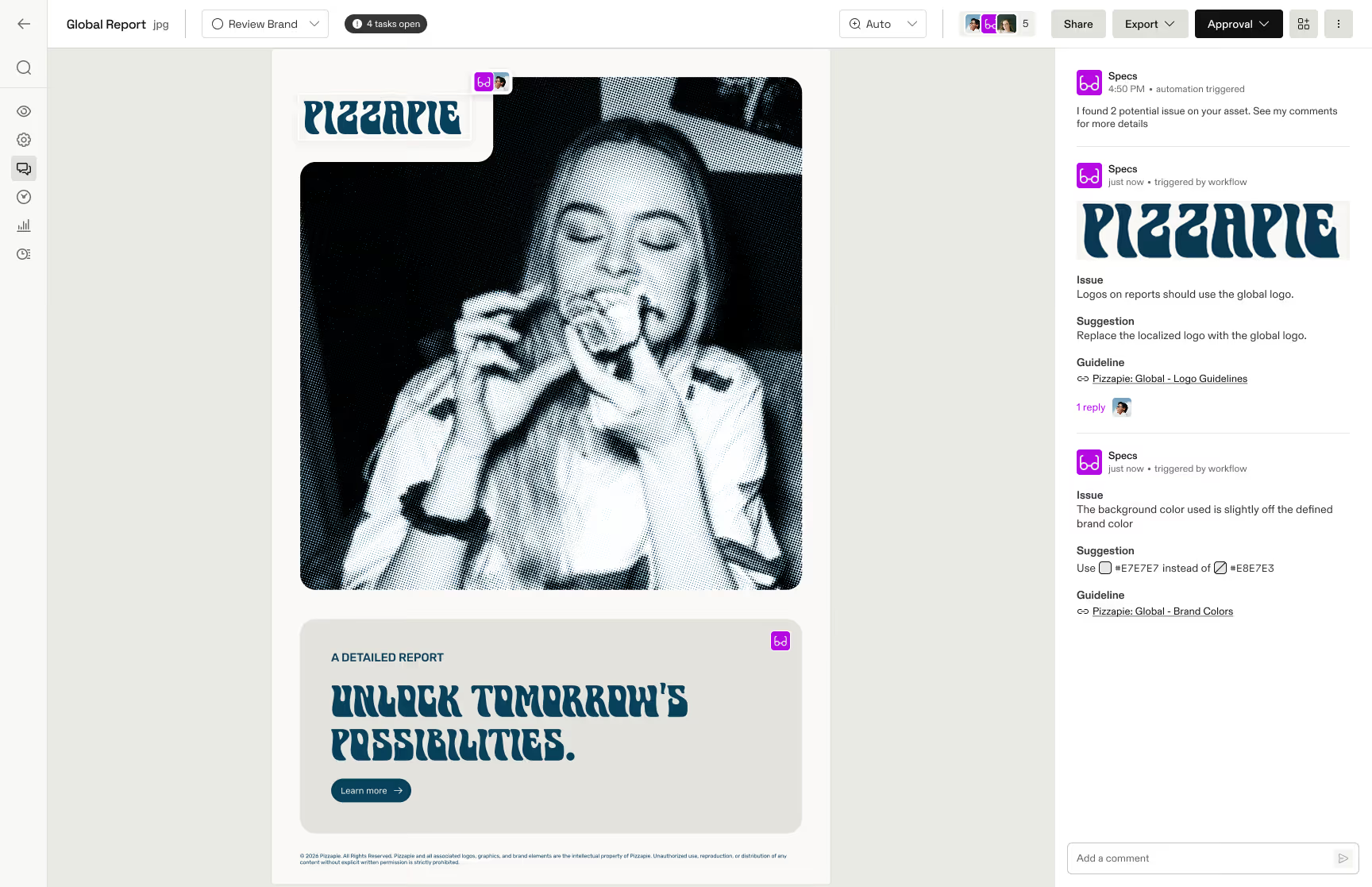
Specs reviews and reports: When assets come in, Specs analyzes them, leaves comments about issues, and makes suggestions with references to your guidelines. Then it checks off completed tasks.
Whether it’s issues with fonts, colors, images, or text, Specs finds problems before anyone else.
The real impact: Time for what matters
Specs catches the clear-cut issues that would otherwise slow everyone down and delegates the task to the right people when human judgment is needed.
A creative director can focus on impact rather than checking disclaimers. A brand manager can hone in on positioning rather than measuring logo clear space. A legal reviewer only sees assets that have already passed technical screening.
And if Specs can review work-in-progress before it’s officially submitted? It catches issues even earlier, without creating noise in the approval process.
This is how Frontify speeds up reviews so that teams have more time for the work that actually requires human creativity and judgment.
Interested?
Specs is part of our ongoing exploration of how large language and vision models can augment creative work and brand compliance.
Specs is still in development. If you want to see how Specs can improve your workflows, reach out to your customer success manager or email us at kitchen@frontify.com.