What is the brand assistant in DAM?
The brand assistant in DAM is a natural language interface built into Frontify’s DAM that carries out asset management tasks for you.
Instead of hunting for the right menu or bulk-edit option, you select your assets and describe the outcome you want. The assistant does the work inside Frontify, using only the permissions you already have.
What teams can do with brand assistant
Brand assistant covers four areas of the day-to-day, repetitive work in your DAM library. Teams can select a batch of assets and tell the assistant what needs to happen to them:
- Metadata: Review the metadata on your selection, spot what’s missing, and add or update it across the assets you’ve selected in one request.
- Asset organization: Create new folders and collections, then move assets into them without handling files one at a time.
- Licensing: Update licensing details across the selected assets instead of editing each file individually.
- Workflows: Change the workflow status of a whole batch, such as moving a set of reviewed assets to Approved.
How it works
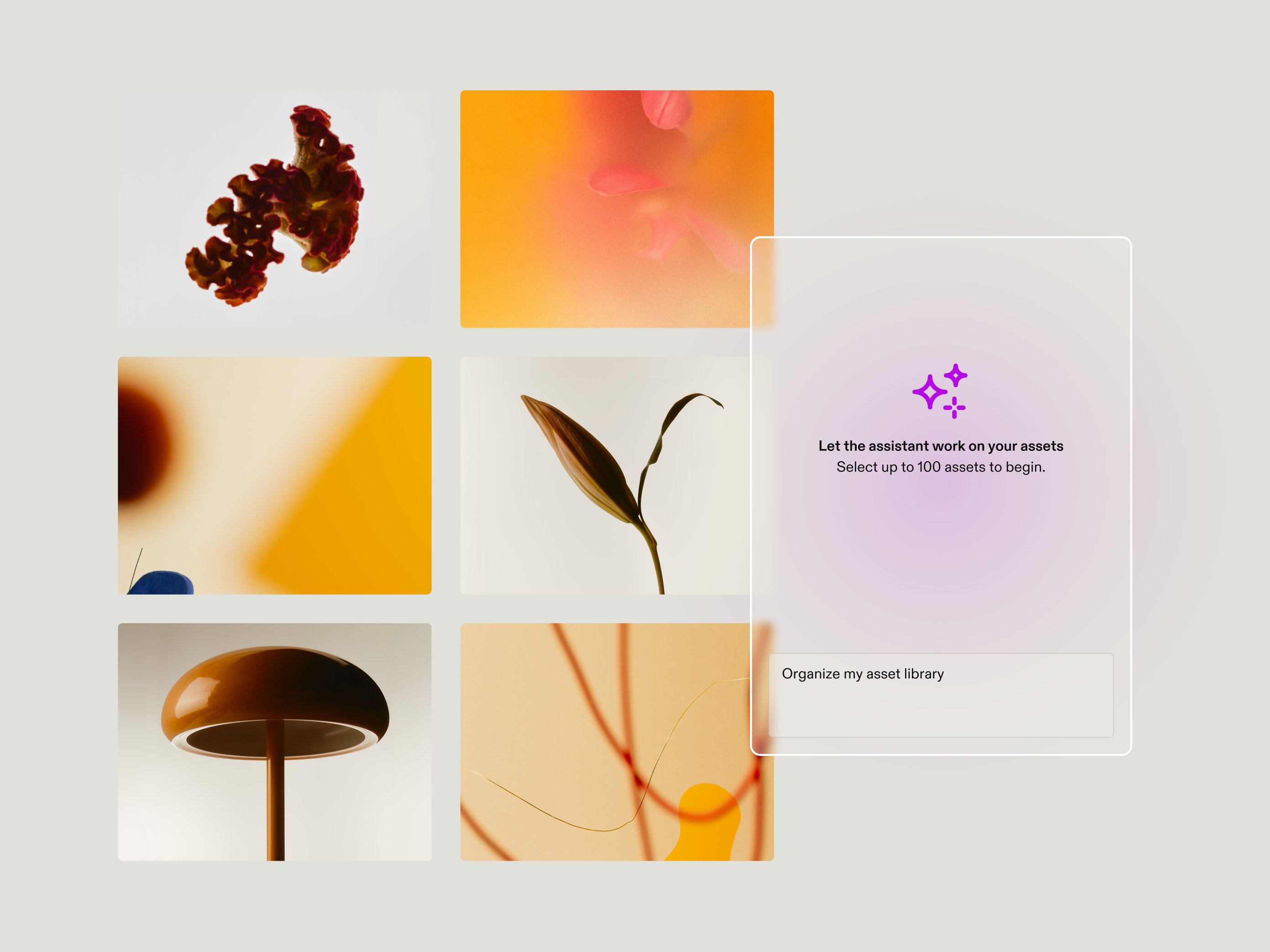
To use Frontify’s brand assistant, open a supported DAM library, select the assets you want to work on, and click the brand assistant. Then describe the task the way you’d explain it to a colleague.
For example, “Move these assets into the Spring Campaign collection” to file a batch, “Review the metadata for these assets and add any missing descriptions” to fill in metadata gaps, or “Change the workflow status of these assets to Approved” to move a set of completed assets out of the review stage. If the result isn’t quite right, tell the assistant what to change or give it another instruction. The brand assistant always shows a proposal first so you can review what will change, and only applies the changes you confirm.
The assistant works within your existing Frontify permissions. It can only do what you’re already allowed to do, and it never elevates them. If you can’t change the workflow status of an asset yourself, the assistant can’t do it for you, so admins don’t need to set up new access rules before turning it on.
Good to know about the beta
The brand assistant in DAM is currently in open beta, so a few limits apply:
- Admin setup: It’s off by default, and your account admin needs to enable it.
- Batch size: You can work with up to 100 assets at a time.
- Supported libraries: The brand assistant can be enabled across supported DAM libraries, either for all supported libraries or for selected libraries. It isn’t currently available in Template Libraries.
- Conversation lifetime: Conversations aren’t saved. If you leave the current view or navigate elsewhere in Frontify, the conversation will be lost and you’ll need to start a new conversation, so finish a task before navigating away.
Get started with Frontify’s brand assistant in your DAM
The brand assistant in DAM is an expansion of Frontify’s agentic capabilities, building on the launch of brand assistant in guidelines — an agent that answers users’ brand questions, finds assets, and reviews copy, based on your brand guidelines. It’s a step toward working by intent instead of learning product workflows. For teams that prefer to use their own AI tools, it complements Frontify’s MCP server.
Ask your admin to enable the brand assistant in DAM, then try it on your next batch of assets.